@bluecateng/smooth-reorder
Version:
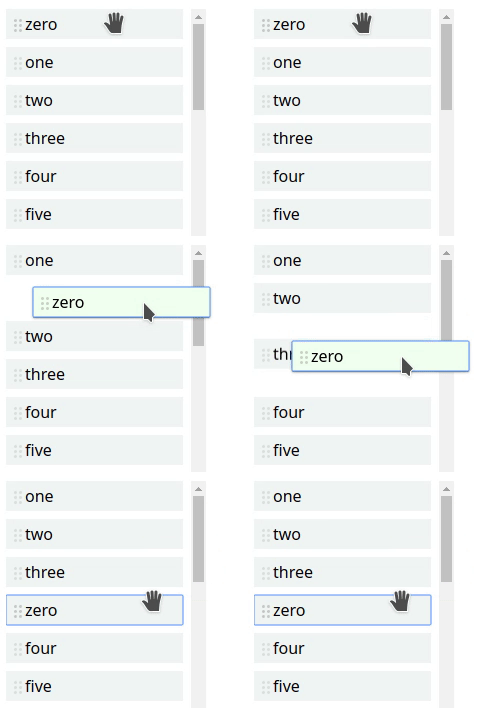
Smooth list reordering in vanilla JS
58 lines (45 loc) • 1.85 kB
Markdown
# @bluecateng/smooth-reorder [](https://github.com/bluecatengineering/pelagos-packages/blob/master/LICENSE) [](https://www.npmjs.com/package/@bluecateng/smooth-reorder)
Allows reordering a list with either mouse dragging or keyboard using only vanilla JS.
Elements are moved with CSS transitions where possible or with
[@bluecateng/nano-spring](https://www.npmjs.com/package/@bluecateng/nano-spring), so it feels more natural.
The callbacks allow implementation of feedback for accessibility.
The article [4 Major Patterns for Accessible Drag and Drop / Sorting a List](https://medium.com/salesforce-ux/4-major-patterns-for-accessible-drag-and-drop-1d43f64ebf09#0303)
in Medium has an example of how to implement accessibility.
Size: 4,102 bytes before compression.
# Installation
```bash
npm i -S @bluecateng/smooth-reorder
```
# Example
```js
import reorder from '@bluecateng/smooth-reorder';
const container = document.querySelector('#test');
reorder(container, {
onStart: (element, position) => console.log(`Started moving element ${element} from ${position}`),
onMove: (element, position) => console.log(`Element ${element} moved to ${position}`),
onFinish: (element) => console.log(`Element ${element} moved`),
onCancel: (element) => console.log(`Element ${element} move cancelled`),
});
```
This CSS must be added to the page:
```css
.draggable {
cursor: move;
cursor: grab;
touch-action: none;
}
.dragging {
z-index: 1000;
}
.placeholder {
opacity: 0;
}
.clone {
position: absolute;
left: 0;
top: 0;
will-change: transform;
}
```
## Output