@blockly/continuous-toolbox
Version:
A Blockly plugin that adds a continous-scrolling style toolbox and flyout
71 lines (52 loc) • 3 kB
Markdown
# /continuous-toolbox [](https://github.com/google/blockly)
A [Blockly](https://www.npmjs.com/package/blockly) plugin that creates a continuous-scrolling style toolbox/flyout that is always open. All of the blocks from all categories are in the flyout together, and the user can either click a category name in the toolbox or scroll to the category they're looking for. This flyout only works as a vertical flyout and it works in both left-to-right and right-to-left modes. Parts of the toolbox style have been changed already, but you can customize the style further by following the [toolbox documentation](https://developers.google.com/blockly/guides/configure/web/toolbox).
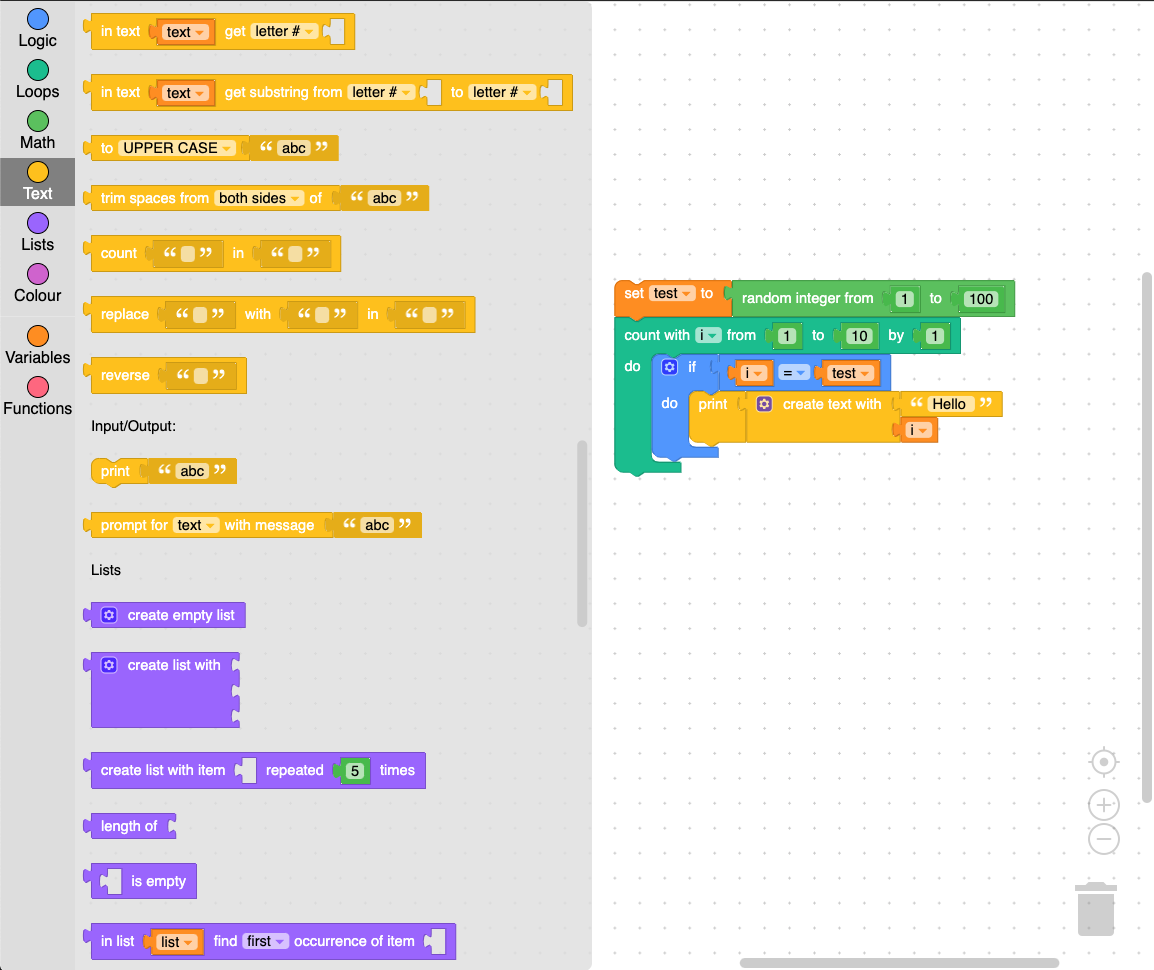
The continuous toolbox is shown here with the 'Zelos' theme, and the style can be further customized.
## Installation
### Yarn
```
yarn add /continuous-toolbox
```
### npm
```
npm install /continuous-toolbox --save
```
## Usage
Import and call the `registerContinuousToolbox()` function before injecting
Blockly. This style of flyout works best with a toolbox definition that does
not use collapsible categories.
Note that this plugin uses APIs introduced in the `v12` release of Blockly, so
you will need to use at least this version or higher.
```js
import * as Blockly from 'blockly';
import {registerContinuousToolbox} from '/continuous-toolbox';
// Inject Blockly.
registerContinuousToolbox();
const workspace = Blockly.inject('blocklyDiv', {
toolbox: toolboxCategories,
plugins: {
flyoutsVerticalToolbox: 'ContinuousFlyout',
metricsManager: 'ContinuousMetrics',
toolbox: 'ContinuousToolbox',
},
// ... your other options here ...
});
```
## Block Recycling
As a performance optimization, by default the continuous toolbox "recycles"
blocks to avoid having to create DOM elements for potentially hundreds of blocks
every time the flyout is shown. With the default set of blocks, this drops the
time to show the flyout from roughly 35ms to 25ms; the effect is naturally
larger with larger block sets.
Recycling is unrelated to Blockly's Trash feature; instead, it entails moving
the blocks offscreen when the flyout is hidden, and then simply repositioning
them when the flyout is shown again. Not all block types are amenable to this;
in particular, blocks with dynamic behavior (e.g. those that reference
variables, support mutations, or have dynamic dropdown fields) are excluded by
default.
This feature can be toggled by calling `setRecyclingEnabled()` on an instance of
`ContinuousFlyout`, and the default ruleset for determining which blocks are
safe for recycling can be replaced with a custom callback by passing that
function to `setBlockIsRecyclable()`.
## License
Apache 2.0