@blockly/continuous-toolbox
Version:
A Blockly plugin that adds a continous-scrolling style toolbox and flyout
51 lines (36 loc) • 2.02 kB
Markdown
A [Blockly](https://www.npmjs.com/package/blockly) plugin that creates a continuous-scrolling style toolbox/flyout that is always open. All of the blocks from all categories are in the flyout together, and the user can either click a category name in the toolbox or scroll to the category they're looking for. This flyout only works as a vertical flyout and it works in both left-to-right and right-to-left modes. Parts of the toolbox style have been changed already, but you can customize the style further by following the [toolbox documentation](https://developers.google.com/blockly/guides/configure/web/toolbox).
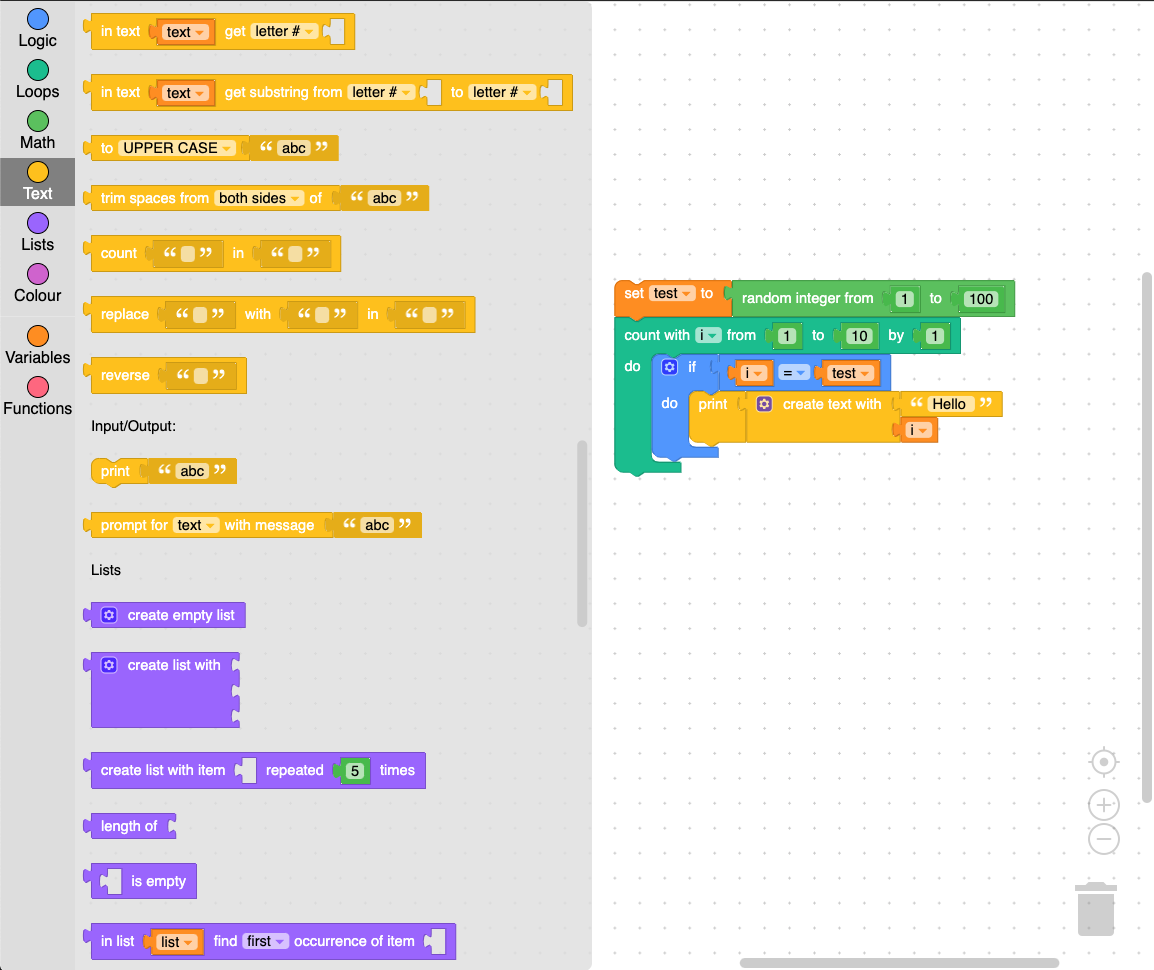
The continuous toolbox is shown here with the 'Zelos' theme, and the style can be further customized.
```
yarn add @blockly/continuous-toolbox
```
```
npm install @blockly/continuous-toolbox --save
```
Include the toolbox, flyout, and metrics manager classes from the plugin in the options struct used when injecting Blockly. This style of flyout works best with a toolbox definition that does not use collapsible categories.
Note that this plugin uses APIs introduced in the `3.20200924.3` release of Blockly, so you will need to use at least this version or higher.
```js
import * as Blockly from 'blockly';
import {
ContinuousToolbox,
ContinuousFlyout,
ContinuousMetrics,
} from '@blockly/continuous-toolbox';
// Inject Blockly.
const workspace = Blockly.inject('blocklyDiv', {
plugins: {
toolbox: ContinuousToolbox,
flyoutsVerticalToolbox: ContinuousFlyout,
metricsManager: ContinuousMetrics,
},
toolbox: toolboxCategories,
// ... your other options here ...
});
```
Apache 2.0