@bitmartexchange/bitmart-node-sdk-api
Version:
BitMart Exchange official Nodejs client for the BitMart Cloud API.
431 lines (328 loc) • 12.9 kB
Markdown
[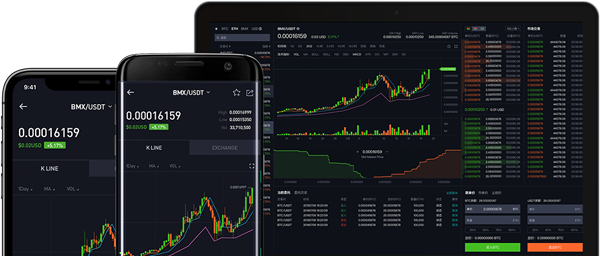](https://bitmart.com)
BitMart-Node-SDK-API
=========================
[](https://badge.fury.io/js/%40bitmartexchange%2Fbitmart-node-sdk-api)
[](http://nodejs.org/download/)
[](https://opensource.org/licenses/MIT)
[BitMart Exchange official](https://bitmart.com) Nodejs client for the BitMart Cloud API.
Feature
=========================
- Provides exchange quick trading API
- Easier withdrawal
- Efficiency, higher speeds, and lower latencies
- Priority in development and maintenance
- Dedicated and responsive technical support
- Provide webSocket apis calls
- Supported APIs:
- `/spot/*`
- `/contract/*`
- `/account/*`
- Spot WebSocket Market Stream
- Spot User Data Stream
- Futures User Data Stream
- Futures WebSocket Market Stream
- Examples
Installation
=========================
```bash
npm install @bitmartexchange/bitmart-node-sdk-api
```
Documentation
=========================
[API Documentation](https://developer-pro.bitmart.com/en/spot/#change-log)
Example
=========================
#### Spot Market API Example
```javascript
const Bitmart = require('@bitmartexchange/bitmart-node-sdk-api')
const bitmartSpotAPI = new Bitmart.BitmartSpotAPI()
// Get Currency List
bitmartSpotAPI.getCurrencies()
.then(response => bitmartSpotAPI.logger.log(response.data))
.catch(error => bitmartSpotAPI.logger.log(error))
// Get List of Trading Pairs
bitmartSpotAPI.getSymbols()
.then(response => bitmartSpotAPI.logger.log(response.data))
.catch(error => bitmartSpotAPI.logger.log(error))
// Get Ticker of All Pairs
bitmartSpotAPI.getV3Tickers()
.then(response => bitmartSpotAPI.logger.log(response.data))
.catch(error => bitmartSpotAPI.logger.log(error))
// Get Ticker of a Trading Pair
bitmartSpotAPI.getV3Ticker('BTC_USDT')
.then(response => bitmartSpotAPI.logger.log(response.data))
.catch(error => bitmartSpotAPI.logger.log(error))
```
#### Spot Trade API Example
```javascript
const Bitmart = require('@bitmartexchange/bitmart-node-sdk-api')
const bitmartSpotAPI = new Bitmart.BitmartSpotAPI({
apiKey: 'your api key',
apiSecret: 'your secret key',
apiMemo: 'your api memo',
})
bitmartSpotAPI.newSpotOrder('BTC_USDT', 'sell', 'limit', {
size: 10000,
price: "500000"
}).then(response => bitmartSpotAPI.logger.log(response.data))
.catch(error => {
if (error.response) {
bitmartSpotAPI.logger.log(error.response.data);
} else if (error.request) {
bitmartSpotAPI.logger.log(error.request);
} else {
bitmartSpotAPI.logger.log('Error', error.message);
}
});
```
Please find `examples/spot` folder to check for more endpoints.
---
#### Spot WebSocket Public Channel Example
```javascript
const { Console } = require('console')
const Bitmart = require('@bitmartexchange/bitmart-node-sdk-api')
const callbacks = {
open: (client) => {
// 【Public】Ticker Channel
client.send('{"op": "subscribe", "args": ["spot/ticker:BTC_USDT"]}')
// 【Public】KLine Channel
client.send('{"op": "subscribe", "args": ["spot/kline1m:BTC_USDT"]}')
// 【Public】Depth Channel
client.send('{"op": "subscribe", "args": ["spot/depth5:BTC_USDT"]}')
// 【Public】Trade Channel
client.send('{"op": "subscribe", "args": ["spot/trade:BTC_USDT"]}')
},
close: () => console.info('...Disconnected with server'),
pong: () => console.info('recv:pong from server'),
ping: () => console.info('recv:ping from server'),
message: data => console.info('recv:' + data)
}
const bitmartSpotWebsocket = new Bitmart.BitmartSpotWebsocket(
'wss://ws-manager-compress.bitmart.com/api?protocol=1.1', {
callbacks: callbacks
})
```
#### Spot WebSocket Private Channel Example
```javascript
const { Console } = require('console')
const Bitmart = require('@bitmartexchange/bitmart-node-sdk-api')
const callbacks = {
open: (client) => {
client.login()
// 【Private】Order Progress
client.send('{"op": "subscribe", "args": ["spot/user/order:BTC_USDT"]}')
},
close: () => console.info('...Disconnected with Websocket server'),
pong: () => console.info('recv:pong from server'),
ping: () => console.info('recv:ping from server'),
message: data => console.info('recv:' + data)
}
const bitmartSpotWebsocket = new Bitmart.BitmartSpotWebsocket(
'wss://ws-manager-compress.bitmart.com/user?protocol=1.1', {
callbacks: callbacks,
apiKey: 'your api key',
apiSecret: 'your api secret',
apiMemo: 'your api memo'
})
```
---
#### Futures Market API Example
```javascript
const Bitmart = require('@bitmartexchange/bitmart-node-sdk-api')
const bitmartFuturesAPI = new Bitmart.BitmartFuturesAPI()
// Get Market Depth
bitmartFuturesAPI.getDepth('BTCUSDT')
.then(response => bitmartFuturesAPI.logger.log(response.data))
.catch(error => bitmartFuturesAPI.logger.log(error))
// Get Futures Open Interest
bitmartFuturesAPI.getOpenInterest('BTCUSDT')
.then(response => bitmartFuturesAPI.logger.log(response.data))
.catch(error => bitmartFuturesAPI.logger.log(error))
// Get Current Funding Rate
bitmartFuturesAPI.getCurrentFundingRate('BTCUSDT')
.then(response => bitmartFuturesAPI.logger.log(response.data))
.catch(error => bitmartFuturesAPI.logger.log(error))
```
#### Futures Trade API Example
```javascript
const Bitmart = require('@bitmartexchange/bitmart-node-sdk-api')
const bitmartFuturesAPI = new Bitmart.BitmartFuturesAPI({
apiKey: 'your api key',
apiSecret: 'your secret',
apiMemo: 'your memo',
})
bitmartFuturesAPI.newFuturesOrder({
symbol: "ETHUSDT",
client_order_id: "BM12344444",
side: 4,
mode: 1,
type: "limit",
leverage: "1",
open_type: "isolated",
size: 10,
price: "2000"
}).then(response => bitmartFuturesAPI.logger.log(response.data))
.catch(error => {
if (error.response) {
bitmartFuturesAPI.logger.log(error.response.data);
} else if (error.request) {
bitmartFuturesAPI.logger.log(error.request);
} else {
bitmartFuturesAPI.logger.log('Error', error.message);
}
});
```
Please find `examples/futures` folder to check for more endpoints.
---
#### Futures WebSocket Public Channel Example
```javascript
const { Console } = require('console')
const Bitmart = require('@bitmartexchange/bitmart-node-sdk-api')
const callbacks = {
open: (client) => {
// 【Public】Ticker Channel
client.send('{"action":"subscribe","args":["futures/ticker"]}')
// 【Public】Depth Channel
client.send('{"action":"subscribe","args":["futures/depth20:BTCUSDT"]}')
// 【Public】Trade Channel
client.send('{"action":"subscribe","args":["futures/trade:BTCUSDT"]}')
// 【Public】Kline Channel
client.send('{"action":"subscribe","args":["futures/klineBin1m:BTCUSDT"]}')
},
close: () => console.info('...Disconnected with Websocket server'),
pong: () => console.info('recv:pong from server'),
ping: () => console.info('recv:ping from server'),
message: data => console.info('recv:' + data)
}
const bitmartFuturesWebsocket = new Bitmart.BitmartFuturesWebsocket(
'wss://openapi-ws-v2.bitmart.com/api?protocol=1.1', {
callbacks: callbacks
})
```
#### Futures WebSocket Private Channel Example
```javascript
const { Console } = require('console')
const Bitmart = require('@bitmartexchange/bitmart-node-sdk-api')
const callbacks = {
open: (client) => {
client.login()
// 【Private】Assets Channel
client.send('{"action": "subscribe","args":["futures/asset:USDT", "futures/asset:BTC"]}')
// 【Private】Position Channel
client.send('{"action": "subscribe","args":["futures/position"]}')
// 【Private】Order Channel
client.send('{"action": "subscribe","args": ["futures/order"]}')
},
close: () => console.info('...Disconnected with Websocket server'),
pong: () => console.info('recv:pong from server'),
ping: () => console.info('recv:ping from server'),
message: data => console.info('recv:' + data)
}
const bitmartFuturesWebsocket = new Bitmart.BitmartFuturesWebsocket(
'wss://openapi-ws-v2.bitmart.com/user?protocol=1.1', {
callbacks: callbacks,
apiKey: 'your api key',
apiSecret: 'your api secret',
apiMemo: 'your api memo'
})
```
### Custom Logger Integration
```javascript
const Bitmart = require('@bitmartexchange/bitmart-node-sdk-api')
const fs = require('fs')
const { Console } = require('console')
// make sure the logs/ folder is created beforehand
const output = fs.createWriteStream('./logs/stdout.log')
const errorOutput = fs.createWriteStream('./logs/stderr.log')
const logger = new Console({ stdout: output, stderr: errorOutput })
const bitmartSpotAPI = new Bitmart.BitmartSpotAPI({logger: logger})
bitmartSpotAPI.getTickerDetail('BTC_USDT')
.then(response => bitmartSpotAPI.logger.log(response.data))
.catch(error => bitmartSpotAPI.logger.log(error))
```
Extra Options
=========================
### Authentication
How to set API KEY?
```javascript
const Bitmart = require('@bitmartexchange/bitmart-node-sdk-api')
const bitmartSpotAPI = new Bitmart.BitmartSpotAPI({
apiKey: 'your api key',
apiSecret: 'your secret key',
apiMemo: 'your api memo',
})
```
### Timeout
Set HTTP `connection timeout` and `read timeout`.
```javascript
const Bitmart = require('@bitmartexchange/bitmart-node-sdk-api')
const bitmartSpotAPI = new Bitmart.BitmartSpotAPI({
timeout: 2000 // Milliseconds, the default value is 5000, which means 5 seconds
})
bitmartSpotAPI.getV3Tickers()
.then(response => bitmartSpotAPI.logger.log(response.data))
.catch(error => bitmartSpotAPI.logger.log(error))
```
### Logging
The default logger defined in the package is Node.js Console class. Its output is sent to process.stdout and process.stderr, same as the global console.
```javascript
const Bitmart = require('@bitmartexchange/bitmart-node-sdk-api')
const fs = require('fs')
const { Console } = require('console')
// make sure the logs/ folder is created before hand
const output = fs.createWriteStream('./logs/stdout.log')
const errorOutput = fs.createWriteStream('./logs/stderr.log')
const logger = new Console({ stdout: output, stderr: errorOutput })
const bitmartSpotAPI = new Bitmart.BitmartSpotAPI({
logger: logger
})
bitmartSpotAPI.getV3Tickers()
.then(response => bitmartSpotAPI.logger.log(response.data))
.catch(error => bitmartSpotAPI.logger.log(error))
```
### Domain
How to set API domain name? The domain name parameter is optional,
the default domain name is `https://api-cloud.bitmart.com`.
```javascript
const Bitmart = require('@bitmartexchange/bitmart-node-sdk-api')
const bitmartSpotAPI = new Bitmart.BitmartSpotAPI({
baseURL: 'https://api-cloud.bitmart.com'
})
bitmartSpotAPI.getV3Tickers()
.then(response => bitmartSpotAPI.logger.log(response.data))
.catch(error => bitmartSpotAPI.logger.log(error))
```
### Custom request headers
You can add your own request header information here,
but please do not fill in `X-BM-KEY, X-BM-SIGN, X-BM-TIMESTAMP`
```javascript
const Bitmart = require('@bitmartexchange/bitmart-node-sdk-api')
const bitmartSpotAPI = new Bitmart.BitmartSpotAPI({
headers: {'Your-Custom-Header':'xxxxxxxxxx'}
})
bitmartSpotAPI.getV3Tickers()
.then(response => bitmartSpotAPI.logger.log(response.data))
.catch(error => bitmartSpotAPI.logger.log(error))
```
### Response Metadata
The bitmart API server provides the endpoint rate limit usage in the header of each response. This information can be obtained from the headers property. `x-bm-ratelimit-remaining` indicates the number of times the current window has been used, `x-bm-ratelimit-limit` indicates the maximum number of times the current window can be used, and `x-bm-ratelimit-reset` indicates the current window time.
##### Example:
```
x-bm-ratelimit-mode: IP
x-bm-ratelimit-remaining: 10
x-bm-ratelimit-limit: 600
x-bm-ratelimit-reset: 60
```
This means that this IP can call the endpoint 600 times within 60 seconds, and has called 10 times so far.
```javascript
const Bitmart = require('@bitmartexchange/bitmart-node-sdk-api')
const bitmartSpotAPI = new Bitmart.BitmartSpotAPI()
bitmartSpotAPI.getV3Tickers()
.then(response => bitmartSpotAPI.logger.log(
response.headers['x-bm-ratelimit-mode'],
response.headers['x-bm-ratelimit-remaining'],
response.headers['x-bm-ratelimit-limit'],
response.headers['x-bm-ratelimit-reset'],
))
.catch(error => bitmartSpotAPI.logger.log(error))
```