@bendn/remap
Version:
godot input remapping
75 lines (50 loc) • 2.69 kB
Markdown
# RemapTools
[](https://godotengine.org "Made with godot")
<a href='https://ko-fi.com/bendn' title='Buy me a coffee' target='_blank'><img height='28' src='https://storage.ko-fi.com/cdn/brandasset/kofi_button_red.png' alt='Buy me a coffee'> </a>
A tool that allows the remapping of `InputMap` actions in godot4.
## Features
[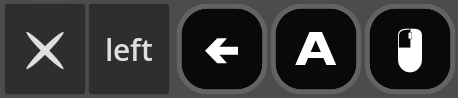](_blank "Key, Mouse support")<br>
[](_blank "Gamepad support")
Supports:
- Multiple joypad types:
- Xbox
- Nintendo switch
- Playstation
- Fallback icons for a generic controller
- Keyboard
- Mouse
> **Warning** The Switch, Playstation icons are not tested, as I do not have them.
> **Note** Nintendo switch does not have a guide button--the xbox or ps button--so beware.
## Usage
```gdscript
var button = RemapButton.new()
button.action = "ui_left"
button._name = "left"
add_child(button)
```
## Installation
<details open>
<summary><h3>With the Godot Package Manager</h3></summary>
> **Note** The information here may not be up to date. For most up to date information, see [gpm#using-packages](https://github.com/godot-package-manager#using-packages-quickstart)
> **Warning** This addon is not compatible with being used as a sub addon(a addon to another addon), as it uses classes.
This addon is installable via the [gpm](https://github.com/godot-package-manager).
To install, create a [`godot.package`](https://github.com/godot-package-manager#godotpackage) file.
It should look something like this.
```jsonc
packages: {
@bendn/remap: 5.0.5
}
```
Change `5.0.5` to whatever version you want to use, versions < 4 = godot3.x.
Then download the [latest version](https://github.com/godot-package-manager/cli/releases/latest) of the [cli](https://github.com/godot-package-manager/cli#installation), move the executable to your `PATH` as `gpm` (`wget "https://github.com/godot-package-manager/cli/releases/latest/download/godot-package-manager.x86_64" -O /bin/gpm`).
And finally, to download[^1]:
```bash
gpm update # in the same dir as your godot.package
```
</details>
<details>
<summary><h3>Manually<h3></summary>
- Download the repo (`wget https://github.com/bend-n/remap/archive/refs/heads/main.zip && unzip main.zip`).
- Move the `remap-main/addons/remap` folder into your `addons` folder (`mkdir addons && mv remap-main/addons/remap addons/`)
</details>
[^1]: [Usage instructions for the cli](https://github.com/godot-package-manager/cli#usage)