@arcgis/core
Version:
ArcGIS Maps SDK for JavaScript: A complete 2D and 3D mapping and data visualization API
277 lines (274 loc) • 11.7 kB
TypeScript
import type Graphic from "../Graphic.js";
import type Widget from "./Widget.js";
import type TrackViewModel from "./Track/TrackViewModel.js";
import type { Icon } from "@esri/calcite-components/components/calcite-icon";
import type { MapViewOrSceneView } from "../views/MapViewOrSceneView.js";
import type { WidgetProperties } from "./Widget.js";
import type { GoToOverride } from "./support/types.js";
import type { TrackViewModelEvents, TrackViewModelProperties } from "./Track/TrackViewModel.js";
import type { GraphicProperties } from "../Graphic.js";
export interface TrackProperties extends WidgetProperties, Partial<Pick<Track, "geolocationOptions" | "goToLocationEnabled" | "goToOverride" | "rotationEnabled" | "scale" | "view">> {
/**
* The graphic used to show the user's location on the map. Overriding this will disable
* the default graphic's heading indicator.
*
* @example
* const trackWidget = new Track({
* // Assign the track widget to a view
* view: view,
* // Overwrite the default symbol used for the
* // graphic placed at the location of the user
* graphic: new Graphic ({
* symbol: {
* // autocasts as new SimpleMarkerSymbol()
* type: "simple-marker",
* size: "12px",
* color: "blue",
* // autocasts as new SimpleLineSymbol()
* outline: {
* color: "#efefef",
* width: "1.5px"
* }
* }
* })
* });
*/
graphic?: GraphicProperties;
/**
* Icon displayed in the widget's button.
*
* @default "compass-north-circle"
* @since 4.28
* @see [Calcite Icon Search](https://developers.arcgis.com/calcite-design-system/icons/)
* @see [Calcite Icon Search](https://developers.arcgis.com/calcite-design-system/icons/)
*/
icon?: Icon["icon"] | null;
/**
* The widget's default label.
*
* @since 4.7
*/
label?: string | null;
/**
* The viewModel for this widget. This is a class that contains all the logic
* (properties and methods) that controls this widget's behavior. See the
* [TrackViewModel](https://developers.arcgis.com/javascript/latest/references/core/widgets/Track/TrackViewModel/) class to access
* all properties and methods on the widget.
*/
viewModel?: TrackViewModelProperties;
}
export interface TrackEvents extends TrackViewModelEvents {}
/**
* Provides a simple button that animates the [View](https://developers.arcgis.com/javascript/latest/references/core/views/View/)
* to the user's location when clicked. The view rotates based on device heading.
* While tracking, the default button looks like the following:
*
* 
*
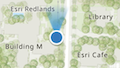
* The default heading symbol will display when speed is greater than zero and the browser
* provides heading information:
*
* 
*
* You can use the view's [DefaultUI](https://developers.arcgis.com/javascript/latest/references/core/views/ui/DefaultUI/) to add widgets
* to the view's user interface via the `ui` property.
*
* ```js
* let trackWidget = new Track({
* view: view
* });
*
* view.ui.add(trackWidget, "top-left");
* ```
*
* > [!WARNING]
* >
* > The Track widget is only available in [secure contexts](https://developer.mozilla.org/en-US/docs/Web/Security/Secure_Contexts), such as HTTPS.
* > Note that localhost is considered "potentially secure" and can be used for easy testing in browsers that support
* > [Window.isSecureContext](https://developer.mozilla.org/en-US/docs/Web/API/isSecureContext#browser_compatibility).
* >
* > For additional information regarding this, visit the ArcGIS blog,
* > [Increased Web API security in Google Chrome](https://blogs.esri.com/esri/arcgis/2016/04/14/increased-web-api-security-in-google-chrome/).
* >
* > **Known Limitations**
* >
* > - The heading symbol is not currently supported in 3D [SceneView](https://developers.arcgis.com/javascript/latest/references/core/views/SceneView/)s.
* > - The Track widget does not work concurrently with the [Locate](https://developers.arcgis.com/javascript/latest/references/core/widgets/Locate/) widget. Only one of the widgets can be used at a time.
*
* @deprecated since version 4.32. Use the [Track component](https://developers.arcgis.com/javascript/latest/references/map-components/components/arcgis-track/) instead. For information on widget deprecation, read about [Esri's move to web components](https://developers.arcgis.com/javascript/latest/components-transition-plan/).
* @since 4.0
* @see [TrackViewModel](https://developers.arcgis.com/javascript/latest/references/core/widgets/Track/TrackViewModel/)
* @see [DefaultUI](https://developers.arcgis.com/javascript/latest/references/core/views/ui/DefaultUI/)
*/
export default class Track extends Widget {
/**
* @deprecated
* Do not directly reference this property.
* Use EventNames and EventTypes helpers from \@arcgis/core/Evented
*/
"@eventTypes": TrackEvents;
/**
* @example
* // typical usage
* let track = new Track({
* view: view
* });
*/
constructor(properties?: TrackProperties);
/**
* An object used for setting optional position parameters. Refer to the
* [Geolocation API Specification](https://www.w3.org/TR/geolocation/#position_options_interface)
* for details on using these parameters.
*
* @example
* const track = new Track({
* view: view,
* // Set optional position parameters
* geolocationOptions: {
* maximumAge: 0,
* timeout: 15000,
* enableHighAccuracy: true
* }
* });
*/
accessor geolocationOptions: PositionOptions | null | undefined;
/**
* Indicates whether the widget will automatically navigate the view to the user's position
* when a geolocation result is found. Set to `false` to disable this behavior,
* leaving full control to the developer.
*
* @default true
*/
accessor goToLocationEnabled: boolean;
/**
* This function provides the ability to override either the
* [MapView goTo()](https://developers.arcgis.com/javascript/latest/references/core/views/MapView/#goTo) or
* [SceneView goTo()](https://developers.arcgis.com/javascript/latest/references/core/views/SceneView/#goTo) methods.
*
* @since 4.8
* @see [MapView.goTo()](https://developers.arcgis.com/javascript/latest/references/core/views/MapView/#goTo)
* @see [SceneView.goTo()](https://developers.arcgis.com/javascript/latest/references/core/views/SceneView/#goTo)
* @example
* // The following snippet uses Search but can be applied to any
* // widgets that support the goToOverride property.
* search.goToOverride = function(view, goToParams) {
* goToParams.options = {
* duration: updatedDuration
* };
* return view.goTo(goToParams.target, goToParams.options);
* };
*/
accessor goToOverride: GoToOverride | null | undefined;
/**
* The graphic used to show the user's location on the map. Overriding this will disable
* the default graphic's heading indicator.
*
* @example
* const trackWidget = new Track({
* // Assign the track widget to a view
* view: view,
* // Overwrite the default symbol used for the
* // graphic placed at the location of the user
* graphic: new Graphic ({
* symbol: {
* // autocasts as new SimpleMarkerSymbol()
* type: "simple-marker",
* size: "12px",
* color: "blue",
* // autocasts as new SimpleLineSymbol()
* outline: {
* color: "#efefef",
* width: "1.5px"
* }
* }
* })
* });
*/
get graphic(): Graphic;
set graphic(value: GraphicProperties);
/**
* Icon displayed in the widget's button.
*
* @default "compass-north-circle"
* @since 4.28
* @see [Calcite Icon Search](https://developers.arcgis.com/calcite-design-system/icons/)
* @see [Calcite Icon Search](https://developers.arcgis.com/calcite-design-system/icons/)
*/
get icon(): Icon["icon"];
set icon(value: Icon["icon"] | null | undefined);
/**
* The widget's default label.
*
* @since 4.7
*/
get label(): string;
set label(value: string | null | undefined);
/**
* Indicates whether the widget will automatically rotate to the device heading based on
* the Geolocation APIs [`GeolocationCoordinates.heading`](https://developer.mozilla.org/en-US/docs/Web/API/GeolocationCoordinates/heading)
* property. The map will not rotate if the speed is `0`,
* or if the device is unable to provide heading information.
*
* Set to `false` to disable this behavior.
*
* @default true
* @since 4.27
*/
accessor rotationEnabled: boolean;
/**
* Indicates the [scale](https://developers.arcgis.com/documentation/mapping-apis-and-services/reference/zoom-levels-and-scale/) to set on the view when navigating to the position of the geolocated
* result, after a location is returned from the [@track](https://developers.arcgis.com/javascript/latest/references/core/widgets/Track/#event-track) event.
*
* By default, the view will navigate to a scale of `2500` for 3D and `4514` for 2D.
* To override the default in 2D, set the `scale` property and also set [snapToZoom](https://developers.arcgis.com/javascript/latest/references/core/views/MapView/#constraints) to `false`.
* For 2D views the value should be within the [effectiveMinScale](https://developers.arcgis.com/javascript/latest/references/core/views/MapView/#constraints)
* and [effectiveMaxScale](https://developers.arcgis.com/javascript/latest/references/core/views/MapView/#constraints).
*
* @since 4.7
* @example
* const mapView = new MapView({
* map: map,
* container: "viewDiv",
* // Turn off snapToZoom
* constraints: {
* snapToZoom: false
* }
* });
*
* mapView.when(() => {
* // Create an instance of the Track widget
* let track = new Track({
* view: mapView,
* // Set a new default scale
* scale: 5000
* });
*
* // Add widget to the view's UI
* mapView.ui.add(track, "top-left");
* });
*/
accessor scale: number | null | undefined;
/**
* Indicates whether the widget is watching for new positions.
*
* @default false
*/
get tracking(): boolean;
/** A reference to the [MapView](https://developers.arcgis.com/javascript/latest/references/core/views/MapView/) or [SceneView](https://developers.arcgis.com/javascript/latest/references/core/views/SceneView/). Set this to link the widget to a specific view. */
accessor view: MapViewOrSceneView | null | undefined;
/**
* The viewModel for this widget. This is a class that contains all the logic
* (properties and methods) that controls this widget's behavior. See the
* [TrackViewModel](https://developers.arcgis.com/javascript/latest/references/core/widgets/Track/TrackViewModel/) class to access
* all properties and methods on the widget.
*/
get viewModel(): TrackViewModel;
set viewModel(value: TrackViewModelProperties);
/**
* When executed, the widget will start [tracking](https://developers.arcgis.com/javascript/latest/references/core/widgets/Track/#tracking) the
* user's location. Only start the widget on a [user gesture](https://html.spec.whatwg.org/#tracking-user-activation) such as a click event.
*/
start(): void;
/** Stops tracking the user's location when executed. */
stop(): void;
}