@arcgis/core
Version:
ArcGIS Maps SDK for JavaScript: A complete 2D and 3D mapping and data visualization API
220 lines (218 loc) • 11.5 kB
TypeScript
import type Accessor from "../../core/Accessor.js";
import type PortalItem from "../../portal/PortalItem.js";
import type { PrintFileFormat, PrintLayoutTemplate } from "../../rest/support/types.js";
import type { PortalItemProperties } from "../../portal/PortalItem.js";
export interface TemplateOptionsProperties extends Partial<Pick<TemplateOptions, "attributionEnabled" | "author" | "copyright" | "customTextElements" | "dpi" | "dynamicLegendEnabled" | "fileName" | "forceFeatureAttributes" | "format" | "height" | "includeTables" | "layout" | "legendEnabled" | "northArrowEnabled" | "scale" | "scaleBarEnabled" | "scaleBarUnit" | "scaleEnabled" | "title" | "width">> {
/**
* A custom layout hosted as a [portal item](https://developers.arcgis.com/javascript/latest/references/core/portal/PortalItem/). To use this property, the print service
* must be hosted on an ArcGIS Server that is federated with the same portal as the portal item.
*
* > [!WARNING]
* >
* > **Known Limitations**
* >
* > This capability is only available with ArcGIS Enterprise 11.1 or later.
*
* @since 4.29
* @see [Share custom layouts for printing from ArcGIS Pro](https://enterprise.arcgis.com/en/server/latest/publish-services/windows/tutorial-publish-additional-layouts-for-printing-with-arcgis-pro.htm)
* @see [Federate an ArcGIS Server site with your portal](https://enterprise.arcgis.com/en/portal/latest/administer/windows/federate-an-arcgis-server-site-with-your-portal.htm)
*/
layoutItem?: PortalItemProperties | null;
}
/**
* Defines the layout template options used by the [Print widget](https://developers.arcgis.com/javascript/latest/references/core/widgets/Print/) and [Print component](https://developers.arcgis.com/javascript/latest/references/map-components/components/arcgis-print/) to generate printed output.
*
* @since 4.6
* @see [Print widget](https://developers.arcgis.com/javascript/latest/references/core/widgets/Print/) - _Deprecated since 4.33. Use the [Print component](https://developers.arcgis.com/javascript/latest/references/map-components/components/arcgis-print/) instead._
* @see [Print component](https://developers.arcgis.com/javascript/latest/references/map-components/components/arcgis-print/)
* @see [PrintTemplate](https://developers.arcgis.com/javascript/latest/references/core/rest/support/PrintTemplate/)
* @example
* const templateOptions = new TemplateOptions({
* title: "My Print",
* author: "Sam",
* copyright: "My Company",
* legendEnabled: false
* });
*/
export default class TemplateOptions extends Accessor {
constructor(properties?: TemplateOptionsProperties);
/**
* When `false`, the attribution is not displayed on the printout.
* This only applies when the [layout](https://developers.arcgis.com/javascript/latest/references/core/widgets/Print/TemplateOptions/#layout) value is `map-only`.
* Reference our policies on [Licensing & Attribution](https://developers.arcgis.com/javascript/latest/licensing/) for specific attribution requirements.
*
* @default true
*/
accessor attributionEnabled: boolean;
/** The text used for the author if the specified layout contains an author text element. */
accessor author: string | null | undefined;
/** The text used for the copyright if the specified layout contains an copyright text element. */
accessor copyright: string | null | undefined;
/**
* Use this prop to display text fields for custom text elements from the print service.
*
* Note that these options are listed under the Advanced Options panel
*
* @since 4.22
*/
accessor customTextElements: Record<string, string>[] | null | undefined;
/**
* Resolution in dots per inch.
*
* @default 96
*/
accessor dpi: number;
/** When `true`, the dynamic legend will be included on the printout. */
accessor dynamicLegendEnabled: boolean | null | undefined;
/**
* This property only applies when the [layout](https://developers.arcgis.com/javascript/latest/references/core/widgets/Print/TemplateOptions/#layout) value is `map-only`. If the [layout](https://developers.arcgis.com/javascript/latest/references/core/widgets/Print/TemplateOptions/#layout)
* value is not `map-only`, see [title](https://developers.arcgis.com/javascript/latest/references/core/widgets/Print/TemplateOptions/#title).
*
* If the application and the print service are on the same origin, this property
* defines the file name of the downloadable printed map, and the title of the map in the printout.
* Clicking on the download icon or the file name will download the printed map.
*
* 
*
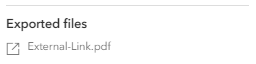
* If the application and the print service are not on the same origin, this property
* defines the title of the map in the printout. The file name of the downloadable printed map
* will be generated by the ArcGIS Enterprise that hosts the print service.
* Clicking on the external link icon or the file name will open the printed map in a new window.
*
* 
*
* @since 4.14
*/
accessor fileName: string | null | undefined;
/**
* When true, the feature's attributes are included in feature collection layers even when they are not needed for
* rendering. By default they are removed to reduce the request size.
*
* @default false
* @since 4.8
*/
accessor forceFeatureAttributes: boolean;
/**
* The output format for the printed map.
*
* @default "pdf"
*/
accessor format: PrintFileFormat;
/**
* Map height.
* This only applies when the [layout](https://developers.arcgis.com/javascript/latest/references/core/widgets/Print/TemplateOptions/#layout) value is `map-only`.
*/
accessor height: number | null | undefined;
/**
* Unique id of the template.
*
* @since 4.33
*/
get id(): string | null | undefined;
/**
* When `true`, tables will be included in the printout request.
* A table is a non-spatial dataset in a feature service or map service.
*
* Note that for the table to display in the printout, the print
* template must be configured to support tables.
*
* @default true
* @since 4.28
* @see [Map.tables](https://developers.arcgis.com/javascript/latest/references/core/Map/#tables)
* @see [FeatureLayer.isTable](https://developers.arcgis.com/javascript/latest/references/core/layers/FeatureLayer/#isTable)
*/
accessor includeTables: boolean;
/**
* The layout used for the print output. When the value is `map-only` or is empty, the output map does not contain any page layout
* surroundings (for example: legend, scale bar, and so forth). The print service provides out-of-the-box templates listed in possible values.
* The server administrator can add additional templates to the print service.
*
* Possible values are listed below:
* Value | Description
* | --- | ---
* map-only | Map does not contain any layout elements. Only map image is printed.
* a3-landscape | A3 Landscape
* a3-portrait | A3 Portrait
* a4-landscape | A4 Landscape
* a4-portrait | A4 Portrait
* letter-ansi-a-landscape | Letter ANSI A Landscape
* letter-ansi-a-portrait | Letter ANSI A Portrait
* tabloid-ansi-b-landscape| Tabloid ANSI B Landscape
* tabloid-ansi-b-portrait | Tabloid ANSI B Portrait
*
* @default "letter-ansi-a-landscape"
*/
accessor layout: PrintLayoutTemplate | null | undefined;
/**
* A custom layout hosted as a [portal item](https://developers.arcgis.com/javascript/latest/references/core/portal/PortalItem/). To use this property, the print service
* must be hosted on an ArcGIS Server that is federated with the same portal as the portal item.
*
* > [!WARNING]
* >
* > **Known Limitations**
* >
* > This capability is only available with ArcGIS Enterprise 11.1 or later.
*
* @since 4.29
* @see [Share custom layouts for printing from ArcGIS Pro](https://enterprise.arcgis.com/en/server/latest/publish-services/windows/tutorial-publish-additional-layouts-for-printing-with-arcgis-pro.htm)
* @see [Federate an ArcGIS Server site with your portal](https://enterprise.arcgis.com/en/portal/latest/administer/windows/federate-an-arcgis-server-site-with-your-portal.htm)
*/
get layoutItem(): PortalItem | null | undefined;
set layoutItem(value: PortalItemProperties | null | undefined);
/** When `false`, the legend is not displayed on the printout. */
accessor legendEnabled: boolean | null | undefined;
/** When `true`, the north arrow will be included on the printout. */
accessor northArrowEnabled: boolean | null | undefined;
/** The map scale of the printed map. Only applies when [scaleEnabled](https://developers.arcgis.com/javascript/latest/references/core/widgets/Print/TemplateOptions/#scaleEnabled) is `true`. */
accessor scale: number | null | undefined;
/**
* When `true`, the scale bar will be included on the printout.
*
* @since 4.33
*/
accessor scaleBarEnabled: boolean | null | undefined;
/**
* The unit of measurement for the scale bar.
*
* @since 5.0
*/
accessor scaleBarUnit: "miles" | "kilometers" | "meters" | "feet" | null | undefined;
/**
* Define whether the printed map should preserve map scale or map extent.
* When `true`, [scale](https://developers.arcgis.com/javascript/latest/references/core/widgets/Print/TemplateOptions/#scale) is used in the printed map.
* When `false`, the current map extent is used in the printed map.
*
* @default false
*/
accessor scaleEnabled: boolean;
/**
* The state of the template loading.
*
* @default "ready"
* @since 4.33
*/
get state(): "ready" | "pending" | "error";
/**
* The text used for the map title if the specified layout contains a title text element.
* This only applies if the [layout](https://developers.arcgis.com/javascript/latest/references/core/widgets/Print/TemplateOptions/#layout) value is not `map-only`. For `map-only`, see [fileName](https://developers.arcgis.com/javascript/latest/references/core/widgets/Print/TemplateOptions/#fileName).
*
* If the application and the print service are on the same origin, this property
* defines the file name of the downloadable printed map, and the title of the map in the printout.
* Clicking on the download icon or the file name will download the printed map.
*
* 
*
* If the application and the print service are not on the same origin, this property
* defines the title of the map in the printout. The file name of the downloadable printed map
* will be generated by the ArcGIS Enterprise that hosts the print service.
* Clicking on the external link icon or the file name will open the printed map in a new window.
*
* 
*/
accessor title: string | null | undefined;
/**
* Map width.
* This only applies when the [layout](https://developers.arcgis.com/javascript/latest/references/core/widgets/Print/TemplateOptions/#layout) value is `map-only`.
*/
accessor width: number | null | undefined;
}