@arcgis/core
Version:
ArcGIS Maps SDK for JavaScript: A complete 2D and 3D mapping and data visualization API
340 lines (336 loc) • 18.3 kB
TypeScript
import type Collection from "../core/Collection.js";
import type LinkChartView from "../views/LinkChartView.js";
import type Widget from "./Widget.js";
import type LegendViewModel from "./Legend/LegendViewModel.js";
import type CardView from "./Legend/styles/card/CardView.js";
import type ClassicView from "./Legend/styles/classic/ClassicView.js";
import type ActiveLayerInfo from "./Legend/support/ActiveLayerInfo.js";
import type { Icon } from "@esri/calcite-components/components/calcite-icon";
import type { MapViewOrSceneView } from "../views/MapViewOrSceneView.js";
import type { LayerInfo } from "./types.js";
import type { WidgetProperties } from "./Widget.js";
import type { CardViewProperties } from "./Legend/styles/card/CardView.js";
import type { ClassicViewProperties } from "./Legend/styles/classic/ClassicView.js";
import type { HeadingLevel } from "./support/types.js";
import type { ActiveLayerInfoProperties } from "./Legend/support/ActiveLayerInfo.js";
import type { ReadonlyArrayOrCollection } from "../core/Collection.js";
import type { LegendViewModelProperties } from "./Legend/LegendViewModel.js";
export interface LegendProperties extends WidgetProperties, Partial<Pick<Legend, "basemapLegendVisible" | "headingLevel" | "hideLayersNotInCurrentView" | "layerInfos" | "respectLayerDefinitionExpression" | "respectLayerVisibility" | "view">> {
/**
* Collection of [ActiveLayerInfo](https://developers.arcgis.com/javascript/latest/references/core/widgets/Legend/support/ActiveLayerInfo/) objects used by the legend view to
* display data in the legend. The legend widget watches this property to hide or display the layer's legend when
* an [ActiveLayerInfo](https://developers.arcgis.com/javascript/latest/references/core/widgets/Legend/support/ActiveLayerInfo/) is removed from or added to this collection.
*/
activeLayerInfos?: ReadonlyArrayOrCollection<ActiveLayerInfoProperties>;
/**
* Icon which represents the widget. It is typically used when the widget is controlled by another
* one (e.g. in the Expand widget).
*
* @default "legend"
* @since 4.27
* @see [Calcite Icon Search](https://developers.arcgis.com/calcite-design-system/icons/)
* @see [Calcite Icon Search](https://developers.arcgis.com/calcite-design-system/icons/)
*/
icon?: Icon["icon"] | null;
/**
* The widget's default label.
*
* @since 4.7
*/
label?: string | null;
/**
* Indicates the style of the legend. The style determines the legend's layout and behavior.
* You can either specify a string or an object to indicate the style. The known string values are the same values listed in
* the table within the `type` property.
*
* @default "classic"
* @since 4.7
* @example
* // renders the legend in the card style with a "stack" layout
* legend.style = "card";
* @example
* // renders the legend in the card style with a responsive
* // layout that toggles between "stack" and "side-by-side"
* legend.style = {
* type: "card",
* layout: "auto"
* };
* @example
* // renders the legend in the classic layout
* legend.style = "classic";
*/
style?: StyleType | (CardViewProperties & { type: "card"; }) | (ClassicViewProperties & { type: "classic"; });
/**
* The view model for this widget. This is a class that contains all the logic
* (properties and methods) that controls this widget's behavior. See the
* [LegendViewModel](https://developers.arcgis.com/javascript/latest/references/core/widgets/Legend/LegendViewModel/) class to access
* all properties and methods on the widget.
*/
viewModel?: LegendViewModelProperties;
}
/**
* Represents the allowed values for the [style](https://developers.arcgis.com/javascript/latest/references/core/widgets/Legend/#style) property,
* as defined by the `type` property of the [CardView](https://developers.arcgis.com/javascript/latest/references/core/widgets/Legend/styles/card/CardView/) and [ClassicView](https://developers.arcgis.com/javascript/latest/references/core/widgets/Legend/styles/classic/ClassicView/) classes.
*
* @see [style](https://developers.arcgis.com/javascript/latest/references/core/widgets/Legend/#style)
* @see [CardView.type](https://developers.arcgis.com/javascript/latest/references/core/widgets/Legend/styles/card/CardView/#type)
* @see [ClassicView.type](https://developers.arcgis.com/javascript/latest/references/core/widgets/Legend/styles/classic/ClassicView/#type)
* @since 5.0
*/
export type StyleType = CardView["type"] | ClassicView["type"];
/**
* Represents the allowed styles for the [style](https://developers.arcgis.com/javascript/latest/references/core/widgets/Legend/#style) property.
*
* @see [style](https://developers.arcgis.com/javascript/latest/references/core/widgets/Legend/#style)
* @since 5.0
*/
export type LegendStyle = CardView | ClassicView;
/**
* The Legend widget describes the symbols used to represent layers in a map.
* All symbols and text used in this widget are configured in the
* [Renderer](https://developers.arcgis.com/javascript/latest/references/core/renderers/Renderer/) of the layer.
* The legend will only display layers and sublayers that are
* visible in the view unless [respectLayerVisibility](https://developers.arcgis.com/javascript/latest/references/core/widgets/Legend/#respectLayerVisibility) is `false`.
*
* The legend automatically updates when
* - the visibility of a layer or sublayer changes
* - a layer is added or removed from the map
* - a layer's `renderer`, `opacity`, or `title` is changed
* - the `legendEnabled` property is changed (set to `true` or `false` on the layer)
*
* You can use the view's [DefaultUI](https://developers.arcgis.com/javascript/latest/references/core/views/ui/DefaultUI/) to add widgets
* to the view's user interface via the `ui` property on the view.
*
* > [!WARNING]
* >
* > **Known Limitations**
* >
* > Currently, the legend widget does not support the following layer types:
* > [ElevationLayer](https://developers.arcgis.com/javascript/latest/references/core/layers/ElevationLayer/),
* > [GraphicsLayer](https://developers.arcgis.com/javascript/latest/references/core/layers/GraphicsLayer/),
* > [IntegratedMeshLayer](https://developers.arcgis.com/javascript/latest/references/core/layers/IntegratedMeshLayer/),
* > [KMLLayer](https://developers.arcgis.com/javascript/latest/references/core/layers/KMLLayer/),
* > [MapNotesLayer](https://developers.arcgis.com/javascript/latest/references/core/layers/MapNotesLayer/),
* > [OpenStreetMapLayer](https://developers.arcgis.com/javascript/latest/references/core/layers/OpenStreetMapLayer/),
* > [VectorTileLayer](https://developers.arcgis.com/javascript/latest/references/core/layers/VectorTileLayer/),
* > [VideoLayer](https://developers.arcgis.com/javascript/latest/references/core/layers/VideoLayer/), and
* > [WebTileLayer](https://developers.arcgis.com/javascript/latest/references/core/layers/WebTileLayer/).
* > [3D symbols](https://developers.arcgis.com/javascript/latest/references/core/symbols/Symbol3D/) with more than one
* > [symbol layer](https://developers.arcgis.com/javascript/latest/references/core/symbols/Symbol3DLayer/) are not supported.
* > [DictionaryRenderer](https://developers.arcgis.com/javascript/latest/references/core/renderers/DictionaryRenderer/) is not supported.
*
* Expand the "Read more" section below to view various examples of legends based on renderer type.
*
* <details>
* <summary>Read More</summary>
*
* ### Unique values
*
* [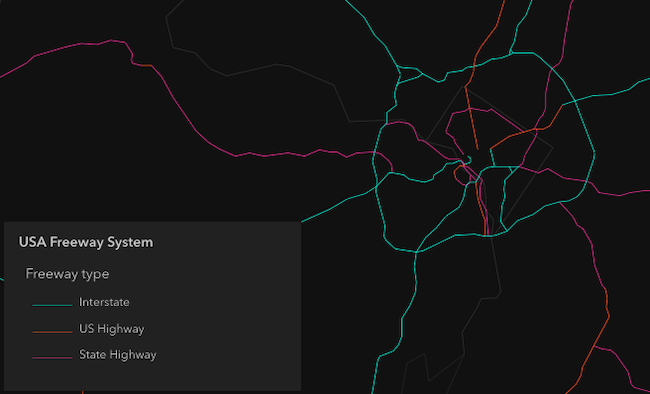](https://developers.arcgis.com/javascript/latest/sample-code/visualization-location-types/)
*
* ### Continuous color
*
* [](https://developers.arcgis.com/javascript/latest/sample-code/visualization-vv-color/)
*
* ### Classed color
*
* [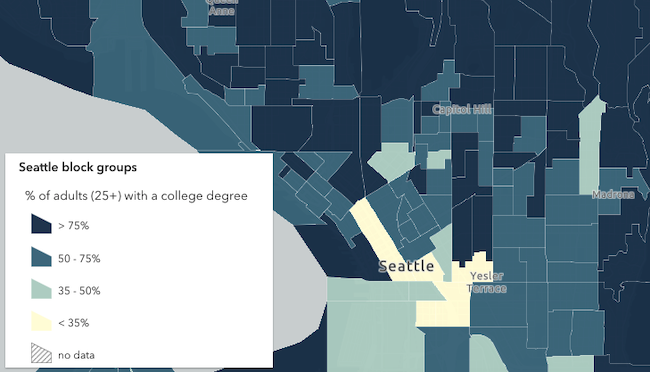](https://developers.arcgis.com/javascript/latest/sample-code/visualization-classbreaks/)
*
* ### Continuous size
*
* [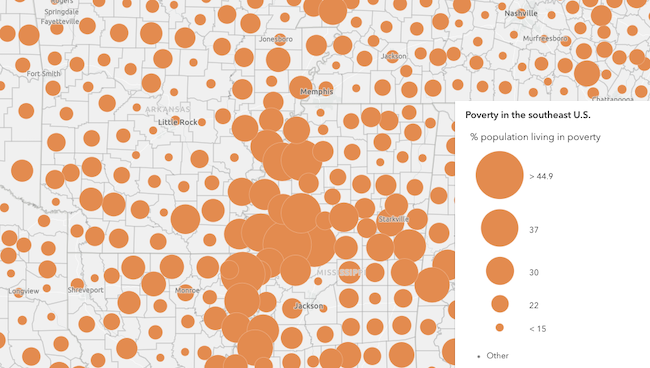](https://developers.arcgis.com/javascript/latest/sample-code/visualization-sm-size/)
*
* ### Size - above and below
*
* [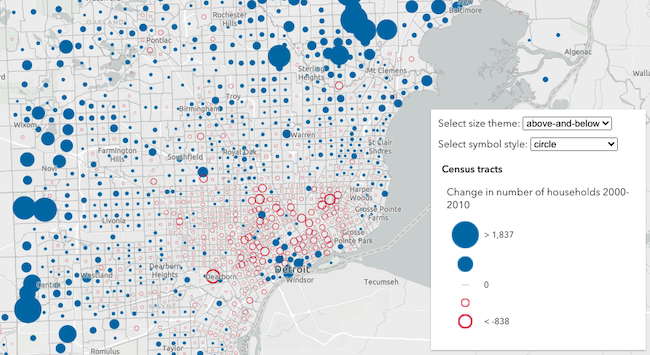](https://developers.arcgis.com/javascript/latest/sample-code/visualization-sm-size-themes/)
*
* ### Dot density
*
* [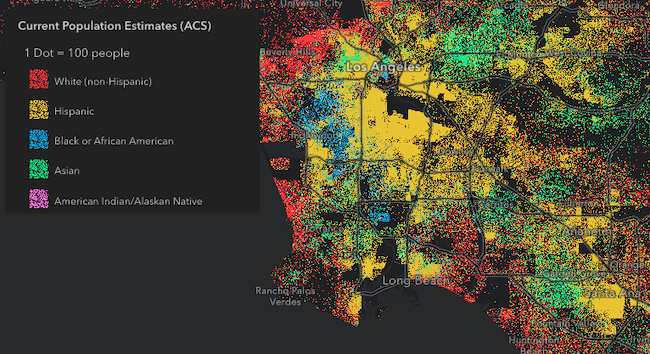](https://developers.arcgis.com/javascript/latest/sample-code/visualization-dot-density/)
*
* ### Predominance
*
* [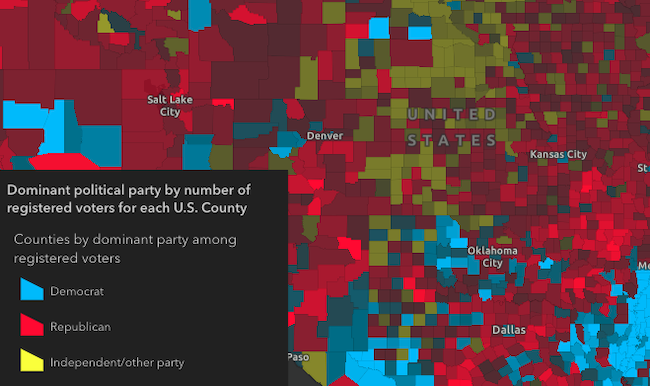](https://developers.arcgis.com/javascript/latest/sample-code/visualization-arcade/)
*
* ### Relationship
*
* [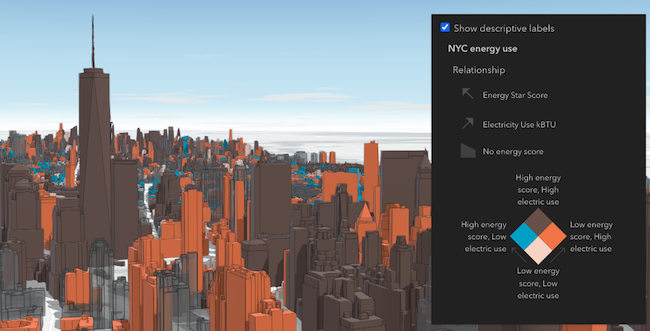](https://developers.arcgis.com/javascript/latest/sample-code/visualization-sm-relationship/)
*
* </details>
*
* @deprecated since version 4.34. Use the [Legend](https://developers.arcgis.com/javascript/latest/references/map-components/components/arcgis-legend/) component instead. For information on widget deprecation, read about [Esri's move to web components](https://developers.arcgis.com/javascript/latest/components-transition-plan/).
* @since 4.0
* @see [DefaultUI](https://developers.arcgis.com/javascript/latest/references/core/views/ui/DefaultUI/)
* @example
* let legend = new Legend({
* view: view
* });
*
* view.ui.add(legend, "bottom-right");
*/
export default class Legend extends Widget {
/**
* @example
* // typical usage
* let legend = new Legend({
* view: view
* });
*/
constructor(properties?: LegendProperties);
/**
* Collection of [ActiveLayerInfo](https://developers.arcgis.com/javascript/latest/references/core/widgets/Legend/support/ActiveLayerInfo/) objects used by the legend view to
* display data in the legend. The legend widget watches this property to hide or display the layer's legend when
* an [ActiveLayerInfo](https://developers.arcgis.com/javascript/latest/references/core/widgets/Legend/support/ActiveLayerInfo/) is removed from or added to this collection.
*/
get activeLayerInfos(): Collection<ActiveLayerInfo>;
set activeLayerInfos(value: ReadonlyArrayOrCollection<ActiveLayerInfoProperties>);
/**
* Indicates whether to show the [Basemap](https://developers.arcgis.com/javascript/latest/references/core/Basemap/) layers in the Legend. If you set this property to
* `true` and specify [layerInfos](https://developers.arcgis.com/javascript/latest/references/core/widgets/Legend/#layerInfos), the basemap layers you want included in the legend must also be
* specified in `layerInfos`.
*
* @default false
* @example legend.basemapLegendVisible = true;
*/
accessor basemapLegendVisible: boolean;
/**
* Indicates the heading level to use for the legend title. By default, legend titles
* are rendered as level 3 headings (e.g. `<h3>Legend title</h3>`). Depending on the legend placement
* in your app, you may need to adjust this heading for proper semantics. This is
* important for meeting accessibility standards.
*
* @default 3
* @since 4.20
* @see [Heading Elements](https://developer.mozilla.org/en-US/docs/Web/HTML/Element/Heading_Elements)
* @example
* // legend title will render as an <h2>
* legend.headingLevel = 2;
*/
accessor headingLevel: HeadingLevel;
/**
* When `true`, layers will only be shown in the legend if
* they are visible in the view's extent. When data from a layer
* is not visible in the view, the layer's legend information
* will be hidden. Only layers that implement the `createQuery()`
* and `queryFeatureCount()` methods are supported by `hideLayersNotInCurrentView`.
*
* To hide layers completely
* from the legend, you should set the `legendEnabled` property of
* the layer to `false`.
*
* @default false
* @since 4.21
* @see [respectLayerVisibility](https://developers.arcgis.com/javascript/latest/references/core/widgets/Legend/#respectLayerVisibility)
* @example
* // layers not displayed in the view
* // will not be shown in the legend
* legend.hideLayersNotInCurrentView = true;
*/
accessor hideLayersNotInCurrentView: boolean;
/**
* Icon which represents the widget. It is typically used when the widget is controlled by another
* one (e.g. in the Expand widget).
*
* @default "legend"
* @since 4.27
* @see [Calcite Icon Search](https://developers.arcgis.com/calcite-design-system/icons/)
* @see [Calcite Icon Search](https://developers.arcgis.com/calcite-design-system/icons/)
*/
get icon(): Icon["icon"];
set icon(value: Icon["icon"] | null | undefined);
/**
* The widget's default label.
*
* @since 4.7
*/
get label(): string;
set label(value: string | null | undefined);
/**
* Defines which layers and sublayers are shown in the legend, including any [basemap layers](https://developers.arcgis.com/javascript/latest/references/core/widgets/Legend/#basemapLegendVisible) you want visible.
* If not set, all layers in the map are displayed in the legend by default, including basemap layers when
* [basemapLegendVisible](https://developers.arcgis.com/javascript/latest/references/core/widgets/Legend/#basemapLegendVisible) is `true`.
*
* @example
* const subtypeGroupLayer = webmap.layers.getItemAt(0);
* const subtypeSubLayer = subtypeGroupLayer.sublayers.getItemAt(1);
* const subtypeSublayerId = parseInt(subtypeSubLayer.subtypeCode);
* const legend = new Legend({
* view: view,
* layerInfos: [
* {
* layer: subtypeGroupLayer,
* sublayerIds: [subtypeSublayerId]
* }
* ]
* });
*/
accessor layerInfos: LayerInfo[];
/**
* If a layer uses a unique value render, only features that satisfy the layer's
* [definition expression](https://developers.arcgis.com/javascript/latest/references/core/layers/mixins/FeatureLayerBase/#definitionExpression)
* will be displayed in the legend when set to true.
*
* @default false
* @since 4.30
* @see [FeatureLayerBase.definitionExpression](https://developers.arcgis.com/javascript/latest/references/core/layers/mixins/FeatureLayerBase/#definitionExpression)
*/
accessor respectLayerDefinitionExpression: boolean;
/**
* Determines whether to respect the properties of the layers in the map that
* control the legend's visibility (`minScale`, `maxScale`, `legendEnabled`).
* By default, a layer's legend elements **will
* not render** in the legend given the following conditions:
*
* - The layer's [FeatureLayer.legendEnabled](https://developers.arcgis.com/javascript/latest/references/core/layers/FeatureLayer/#legendEnabled) property
* is set to `false`.
* - If the view's scale is outside the visibility range
* defined by the layer's [ScaleRangeLayer.minScale](https://developers.arcgis.com/javascript/latest/references/core/layers/mixins/ScaleRangeLayer/#minScale) and
* [ScaleRangeLayer.maxScale](https://developers.arcgis.com/javascript/latest/references/core/layers/mixins/ScaleRangeLayer/#maxScale) properties.
*
* When the `respectLayerVisibility` property of the legend is set to `false`, the legend elements for each
* layer in the map will always display, thus disregarding the `minScale`, `maxScale`,
* and `legendEnabled` properties for each layer in the map.
*
* @default true
* @since 4.13
* @see [hideLayersNotInCurrentView](https://developers.arcgis.com/javascript/latest/references/core/widgets/Legend/#hideLayersNotInCurrentView)
* @example
* // Always displays legend elements for the map's layers
* // regardless of their minScale, maxScale, and legendEnabled properties
* legend.respectLayerVisibility = false;
*/
accessor respectLayerVisibility: boolean;
/**
* Indicates the style of the legend. The style determines the legend's layout and behavior.
* You can either specify a string or an object to indicate the style. The known string values are the same values listed in
* the table within the `type` property.
*
* @default "classic"
* @since 4.7
* @example
* // renders the legend in the card style with a "stack" layout
* legend.style = "card";
* @example
* // renders the legend in the card style with a responsive
* // layout that toggles between "stack" and "side-by-side"
* legend.style = {
* type: "card",
* layout: "auto"
* };
* @example
* // renders the legend in the classic layout
* legend.style = "classic";
*/
get style(): LegendStyle;
set style(value: StyleType | (CardViewProperties & { type: "card"; }) | (ClassicViewProperties & { type: "classic"; }));
/** A reference to the [MapView](https://developers.arcgis.com/javascript/latest/references/core/views/MapView/), [LinkChartView](https://developers.arcgis.com/javascript/latest/references/core/views/LinkChartView/), or [SceneView](https://developers.arcgis.com/javascript/latest/references/core/views/SceneView/). Set this to link the widget to a specific view. */
accessor view: MapViewOrSceneView | LinkChartView | null | undefined;
/**
* The view model for this widget. This is a class that contains all the logic
* (properties and methods) that controls this widget's behavior. See the
* [LegendViewModel](https://developers.arcgis.com/javascript/latest/references/core/widgets/Legend/LegendViewModel/) class to access
* all properties and methods on the widget.
*/
get viewModel(): LegendViewModel;
set viewModel(value: LegendViewModelProperties);
}