@arcgis/core
Version:
ArcGIS Maps SDK for JavaScript: A complete 2D and 3D mapping and data visualization API
55 lines (53 loc) • 1.69 kB
TypeScript
import type { JSONSupport } from "../../../core/JSONSupport.js";
export interface CloudyWeatherProperties extends Partial<Pick<CloudyWeather, "cloudCover">> {}
/**
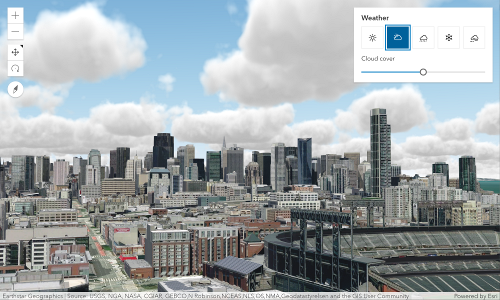
* The CloudyWeather class allows you to change the weather conditions in the scene to cloudy weather.
*
* 
*
* Example:
* ```js
* let view = new SceneView({
* container: "viewDiv",
*
* map: new Map({
* basemap: "satellite",
* ground: "world-elevation"
* }),
* environment: {
* weather: {
* type: "cloudy",
* cloudCover: 0.8 // autocasts as new CloudyWeather({ cloudCover: 0.8 })
* }
* }
* });
* ```
* The weather visualization updates as soon as the property changes:
* ```
* view.environment.weather = {
* type: "cloudy",
* cloudCover: 0.4 // autocasts as new CloudyWeather({ cloudCover: 0.4 })
* }
* ```
*
* @since 4.22
* @see [Sample - Weather visualization](https://developers.arcgis.com/javascript/latest/sample-code/scene-weather/)
* @see [Sample - Weather component](https://developers.arcgis.com/javascript/latest/sample-code/weather/)
*/
export default class CloudyWeather extends JSONSupport {
constructor(properties?: CloudyWeatherProperties);
/**
* Specifies the amount of cloud cover in the sky for a certain weather type.
*
* @default 0.5
*/
accessor cloudCover: number;
/** The type of weather */
get type(): "cloudy";
/**
* Creates a deep clone of this object.
*
* @returns Creates a new clone of the instance calling this method.
*/
clone(): CloudyWeather;
}