@arcgis/core
Version:
ArcGIS Maps SDK for JavaScript: A complete 2D and 3D mapping and data visualization API
50 lines (48 loc) • 2.5 kB
TypeScript
import type Pattern3D from "./Pattern3D.js";
import type { FillStyle } from "../types.js";
export interface StylePattern3DProperties extends Partial<Pick<StylePattern3D, "style">> {}
/**
* Renders polygons with predefined style pattern fills.
*
* [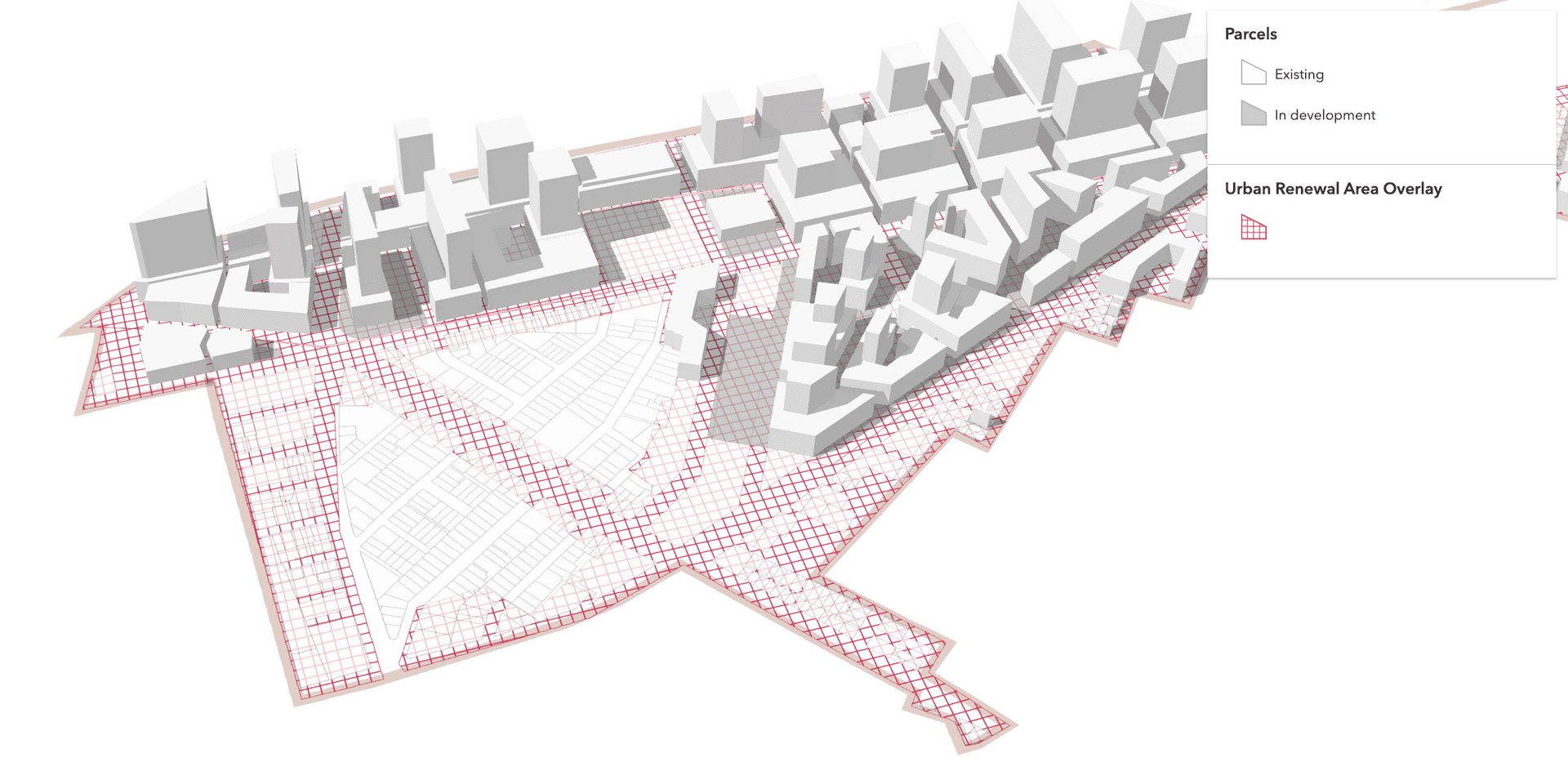](https://developers.arcgis.com/javascript/latest/sample-code/visualization-polygon-patterns/)
*
* @since 4.17
* @see [FillSymbol3DLayer](https://developers.arcgis.com/javascript/latest/references/core/symbols/FillSymbol3DLayer/)
* @see [Urban visualization with polygon patterns](https://developers.arcgis.com/javascript/latest/sample-code/visualization-polygon-patterns/)
* @example
* const symbol = {
* type: "polygon-3d", // autocasts as new PolygonSymbol3D()
* symbolLayers: [{
* type: "fill", // autocasts as new FillSymbol3DLayer()
* material: { color: "red" },
* outline: { color: "red" },
* pattern: {
* type: "style",
* style: "cross"
* }
* }]
* };
*/
export default class StylePattern3D extends Pattern3D {
constructor(properties?: StylePattern3DProperties);
/**
* The fill style.
* Possible values are listed in the table below:
*
* Value | Description
* ------|-------------
* backward-diagonal | 
* cross | 
* diagonal-cross | 
* forward-diagonal | 
* horizontal | 
* none | The polygon has no fill.
* solid | 
* vertical | 
*
* @default "solid"
*/
accessor style: FillStyle;
/** The pattern type. */
get type(): "style";
}