@arcgis/core
Version:
ArcGIS Maps SDK for JavaScript: A complete 2D and 3D mapping and data visualization API
407 lines (405 loc) • 25.6 kB
TypeScript
import type PopupTemplate from "../PopupTemplate.js";
import type Layer from "./Layer.js";
import type PointCloudBitfieldFilter from "./pointCloudFilters/PointCloudBitfieldFilter.js";
import type PointCloudReturnFilter from "./pointCloudFilters/PointCloudReturnFilter.js";
import type PointCloudValueFilter from "./pointCloudFilters/PointCloudValueFilter.js";
import type Field from "./support/Field.js";
import type FieldsIndex from "./support/FieldsIndex.js";
import type PortalItem from "../portal/PortalItem.js";
import type PointCloudRenderer from "../renderers/PointCloudRenderer.js";
import type ElevationInfo from "../symbols/support/ElevationInfo.js";
import type { ClonableMixin } from "../core/Clonable.js";
import type { MultiOriginJSONSupportMixin } from "../core/MultiOriginJSONSupport.js";
import type { AbortOptions } from "../core/promiseUtils.js";
import type { APIKeyMixin, APIKeyMixinProperties } from "./mixins/APIKeyMixin.js";
import type { CustomParametersMixin, CustomParametersMixinProperties } from "./mixins/CustomParametersMixin.js";
import type { OperationalLayer, OperationalLayerProperties } from "./mixins/OperationalLayer.js";
import type { PortalLayer, PortalLayerProperties } from "./mixins/PortalLayer.js";
import type { ScaleRangeLayer, ScaleRangeLayerProperties } from "./mixins/ScaleRangeLayer.js";
import type { SceneService, SceneServiceProperties } from "./mixins/SceneService.js";
import type { SaveAsOptions } from "./scene/types.js";
import type { DomainUnion } from "./support/types.js";
import type { CreatePopupTemplateOptions } from "../support/popupUtils.js";
import type { PopupTemplateProperties } from "../PopupTemplate.js";
import type { PointCloudReturnFilterProperties } from "./pointCloudFilters/PointCloudReturnFilter.js";
import type { PointCloudBitfieldFilterProperties } from "./pointCloudFilters/PointCloudBitfieldFilter.js";
import type { PointCloudValueFilterProperties } from "./pointCloudFilters/PointCloudValueFilter.js";
import type { FieldProperties } from "./support/Field.js";
import type { ElevationInfoProperties } from "../symbols/support/ElevationInfo.js";
import type { PointCloudRendererProperties } from "../renderers/PointCloudRenderer.js";
import type { LayerProperties } from "./Layer.js";
export interface PointCloudLayerProperties extends LayerProperties, APIKeyMixinProperties, CustomParametersMixinProperties, ScaleRangeLayerProperties, PortalLayerProperties, OperationalLayerProperties, SceneServiceProperties, Partial<Pick<PointCloudLayer, "legendEnabled" | "outFields" | "popupEnabled">> {
/**
* Specifies how features are placed on the vertical axis (z). This property may only be used
* in a [SceneView](https://developers.arcgis.com/javascript/latest/references/core/views/SceneView/). See the [ElevationInfo sample](https://developers.arcgis.com/javascript/latest/sample-code/scene-elevationinfo/)
* for an example of how this property may be used.
*
* > [!WARNING]
* >
* > This property only affects [PointCloudLayers](https://developers.arcgis.com/javascript/latest/references/core/layers/PointCloudLayer/) when using the `absolute-height` mode.
* > [ElevationInfo.featureExpressionInfo](https://developers.arcgis.com/javascript/latest/references/core/symbols/support/ElevationInfo/#featureExpressionInfo) is not supported when the elevation info is specified for this class.
* > If the elevation info is not specified, the effective elevation depends on the context and could vary per point.
*
* @since 4.4
*/
elevationInfo?: ElevationInfoProperties | null;
/**
* An array of fields accessible in the layer.
* The most common fields for PointCloudLayers are described more in detail in the following table:
* Name | Comment
* -- | --
* ELEVATION | Check the [LAS Specification](https://www.ogc.org/standards/las/) for details.
* INTENSITY | Check the [LAS Specification](https://www.ogc.org/standards/las/) for details.
* CLASS_CODE | Get the list with the class label with [queryCachedStatistics()](https://developers.arcgis.com/javascript/latest/references/core/layers/PointCloudLayer/#queryCachedStatistics).
* RGB | The individual RGB channels (uint8) are packed into a single uint32 value. See example for decode.
* RETURNS | Bits 0-5 for Return Number and Number of Returns. See example for decode.
* FLAGS | Check the [LAS Specification](https://www.ogc.org/standards/las/) for details.
*
* @example
* // decode the rgb value with Arcade:
* var rgb = $feature.RGB;
* var red = Floor(rgb/65536,0);
* var green = Floor((rgb-(red*65536))/256,0);
* var blue = rgb-(red*65536)-(green*256);
* return "rgb(" + red + "," + green + "," + blue + ")";
*
* // decode the returns value with Arcade:
* var returnnumber = $feature.RETURNS % 16;
* var numberofreturns = Floor($feature.RETURNS / 16)
* return returnnumber + " / " + numberofreturns;
*/
fields?: FieldProperties[];
/**
* An array of [pointCloudFilters](https://developers.arcgis.com/javascript/latest/references/core/layers/pointCloudFilters/PointCloudFilter/) used to filter points.
* Only the points that satisfy all the filters are displayed in the view. There are two types of filters that can be
* set: [PointCloudValueFilter](https://developers.arcgis.com/javascript/latest/references/core/layers/pointCloudFilters/PointCloudValueFilter/) filters points based on classification values and
* [PointCloudReturnFilter](https://developers.arcgis.com/javascript/latest/references/core/layers/pointCloudFilters/PointCloudReturnFilter/) filters points based on return values.
*
* @since 4.10
* @example
* // filter out points that don't belong to ground or building
* const pcLayer = new PointCloudLayer({
* ...,
* filters: [{
* type: "value",
* field: "CLASS_CODE",
* mode: "include",
* // values include ground(2) and building(6)
* values: [2, 6]
* }]
* });
*/
filters?: Array<(PointCloudValueFilterProperties & { type: "value" }) | (PointCloudBitfieldFilterProperties & { type: "bitfield" }) | (PointCloudReturnFilterProperties & { type: "return" })>;
/**
* The popup template for the layer. When set on the layer, the `popupTemplate`
* allows users to access attributes and display their values in the
* view's Popup when a feature is selected
* using text and/or charts. See the [fields](https://developers.arcgis.com/javascript/latest/references/core/layers/PointCloudLayer/#fields)
* for the most common attributes information.
* See the [PopupTemplate sample](https://developers.arcgis.com/javascript/latest/sample-code/intro-popuptemplate/)
* for an example of how [PopupTemplate](https://developers.arcgis.com/javascript/latest/references/core/PopupTemplate/) interacts with a
* [FeatureLayer](https://developers.arcgis.com/javascript/latest/references/core/layers/FeatureLayer/). Setting a [PopupTemplate](https://developers.arcgis.com/javascript/latest/references/core/PopupTemplate/)
* on this layer type is done in the same way as a FeatureLayer.
*
* A default popup template is automatically used if no `popupTemplate` has been defined when
* [Popup.defaultPopupTemplateEnabled](https://developers.arcgis.com/javascript/latest/references/core/widgets/Popup/#defaultPopupTemplateEnabled)
* is set to `true`.
*
* @since 4.13
* @see [createPopupTemplate()](https://developers.arcgis.com/javascript/latest/references/core/layers/PointCloudLayer/#createPopupTemplate)
* @see [SceneView.popup](https://developers.arcgis.com/javascript/latest/references/core/views/SceneView/#popup)
* @see [View2D.popup](https://developers.arcgis.com/javascript/latest/references/core/views/View2D/#popup)
*/
popupTemplate?: PopupTemplateProperties | null;
/**
* The renderer assigned to the layer. The renderer defines how to
* visualize each point in the layer.
*
* @example
* // all points in the layer will be colorized with the RGB attribute
* layer.renderer = {
* type: "point-cloud-rgb", // autocasts as new PointCloudRGBRenderer()
* field: "RGB"
* };
*/
renderer?: PointCloudRendererProperties | null;
/**
* The title of the layer used to identify it in places such as the [Legend](https://developers.arcgis.com/javascript/latest/references/map-components/components/arcgis-legend/)
* and [LayerList](https://developers.arcgis.com/javascript/latest/references/core/widgets/LayerList/).
*
* When loading a layer by service url, the title is derived from the service name.
* If the service has several layers, then the title of each layer will be the concatenation of the service name
* and the layer name.
* When the layer is loaded from a portal item, the title of the portal item will be used instead.
* Finally, if a layer is loaded as part of a webmap or a webscene, then the title of the layer as stored in the webmap/webscene will be used.
*/
title?: string | null;
}
/**
* The PointCloudLayer is designed for visualizing large collections of points
* in a [SceneView](https://developers.arcgis.com/javascript/latest/references/core/views/SceneView/).
*
* Point cloud data is post-processed spatially organized
* [lidar data](https://pro.arcgis.com/en/pro-app/latest/help/data/las-dataset/what-is-lidar-.htm)
* that consists of large collections of 3D points. Elevations for the ground,
* buildings, forest canopy, highway overpasses, and anything else captured
* during the lidar survey make up the point cloud data. This layer type creates
* fast visualizations of point cloud data in the browser.
*
* [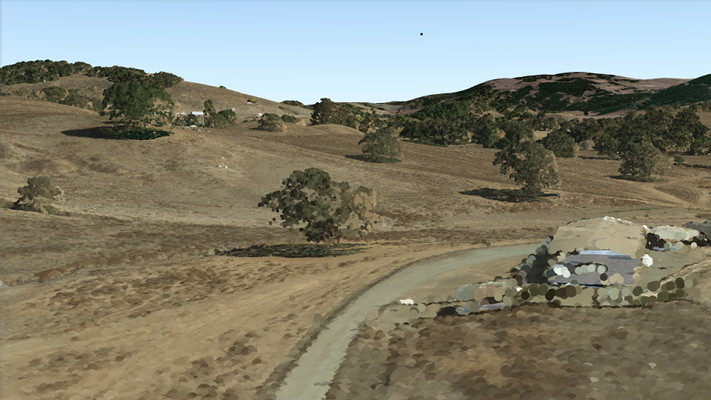](https://developers.arcgis.com/javascript/latest/sample-code/layers-pointcloud-portal/)
*
* The Scene Service is identified by the URL of the ArcGIS Server REST resource:
*
* ```js
* const pointCloudLayer = new PointCloudLayer({
* url: "https://tiles.arcgis.com/tiles/V6ZHFr6zdgNZuVG0/arcgis/rest/services/BARNEGAT_BAY_LiDAR_UTM/SceneServer"
* });
* ```
*
* If the point cloud service is requested from a different domain, a
* [CORS enabled server](https://developers.arcgis.com/javascript/latest/cors/) or a [proxy](https://developers.arcgis.com/javascript/latest/proxies/) is
* required.
*
* @since 4.2
* @see [Sample - PointCloudLayer Intro](https://developers.arcgis.com/javascript/latest/sample-code/layers-pointcloud-portal/)
* @see [Sample - PointCloudLayer with renderer](https://developers.arcgis.com/javascript/latest/sample-code/layers-pointcloud/)
* @see [Sample - PointCloudLayer with intensity color modulation](https://developers.arcgis.com/javascript/latest/sample-code/layers-pointcloud-color-modulation/)
* @see [Sample - PointCloudLayer with change point size and density](https://developers.arcgis.com/javascript/latest/sample-code/layers-pointcloud-size-density/)
* @see [Sample - PointCloudLayer with filter points](https://developers.arcgis.com/javascript/latest/sample-code/layers-pointcloud-filters/)
* @see [SceneLayer](https://developers.arcgis.com/javascript/latest/references/core/layers/SceneLayer/)
* @see [SceneView](https://developers.arcgis.com/javascript/latest/references/core/views/SceneView/)
* @see [Map](https://developers.arcgis.com/javascript/latest/references/core/Map/)
*/
export default class PointCloudLayer extends PointCloudLayerSuperclass {
/**
* @example
* // Typical usage
* const pointCloudLayer = new PointCloudLayer({
* url: "https://tiles.arcgis.com/tiles/V6ZHFr6zdgNZuVG0/arcgis/rest/services/BARNEGAT_BAY_LiDAR_UTM/SceneServer"
* });
*/
constructor(properties?: PointCloudLayerProperties);
/**
* Specifies how features are placed on the vertical axis (z). This property may only be used
* in a [SceneView](https://developers.arcgis.com/javascript/latest/references/core/views/SceneView/). See the [ElevationInfo sample](https://developers.arcgis.com/javascript/latest/sample-code/scene-elevationinfo/)
* for an example of how this property may be used.
*
* > [!WARNING]
* >
* > This property only affects [PointCloudLayers](https://developers.arcgis.com/javascript/latest/references/core/layers/PointCloudLayer/) when using the `absolute-height` mode.
* > [ElevationInfo.featureExpressionInfo](https://developers.arcgis.com/javascript/latest/references/core/symbols/support/ElevationInfo/#featureExpressionInfo) is not supported when the elevation info is specified for this class.
* > If the elevation info is not specified, the effective elevation depends on the context and could vary per point.
*
* @since 4.4
*/
get elevationInfo(): ElevationInfo | null | undefined;
set elevationInfo(value: ElevationInfoProperties | null | undefined);
/**
* An array of fields accessible in the layer.
* The most common fields for PointCloudLayers are described more in detail in the following table:
* Name | Comment
* -- | --
* ELEVATION | Check the [LAS Specification](https://www.ogc.org/standards/las/) for details.
* INTENSITY | Check the [LAS Specification](https://www.ogc.org/standards/las/) for details.
* CLASS_CODE | Get the list with the class label with [queryCachedStatistics()](https://developers.arcgis.com/javascript/latest/references/core/layers/PointCloudLayer/#queryCachedStatistics).
* RGB | The individual RGB channels (uint8) are packed into a single uint32 value. See example for decode.
* RETURNS | Bits 0-5 for Return Number and Number of Returns. See example for decode.
* FLAGS | Check the [LAS Specification](https://www.ogc.org/standards/las/) for details.
*
* @example
* // decode the rgb value with Arcade:
* var rgb = $feature.RGB;
* var red = Floor(rgb/65536,0);
* var green = Floor((rgb-(red*65536))/256,0);
* var blue = rgb-(red*65536)-(green*256);
* return "rgb(" + red + "," + green + "," + blue + ")";
*
* // decode the returns value with Arcade:
* var returnnumber = $feature.RETURNS % 16;
* var numberofreturns = Floor($feature.RETURNS / 16)
* return returnnumber + " / " + numberofreturns;
*/
get fields(): Field[];
set fields(value: FieldProperties[]);
/**
* A convenient property that can be used to make case-insensitive lookups for a field by name.
* It can also provide a list of the [date fields](https://developers.arcgis.com/javascript/latest/references/core/layers/support/FieldsIndex/#dateFields) in a layer.
*
* @since 4.13
* @example
* // lookup a field by name. name is case-insensitive
* const field = layer.fieldsIndex.get("SoMeFiEld");
*
* if (field) {
* console.log(field.name); // SomeField
* }
*/
get fieldsIndex(): FieldsIndex<Field>;
/**
* An array of [pointCloudFilters](https://developers.arcgis.com/javascript/latest/references/core/layers/pointCloudFilters/PointCloudFilter/) used to filter points.
* Only the points that satisfy all the filters are displayed in the view. There are two types of filters that can be
* set: [PointCloudValueFilter](https://developers.arcgis.com/javascript/latest/references/core/layers/pointCloudFilters/PointCloudValueFilter/) filters points based on classification values and
* [PointCloudReturnFilter](https://developers.arcgis.com/javascript/latest/references/core/layers/pointCloudFilters/PointCloudReturnFilter/) filters points based on return values.
*
* @since 4.10
* @example
* // filter out points that don't belong to ground or building
* const pcLayer = new PointCloudLayer({
* ...,
* filters: [{
* type: "value",
* field: "CLASS_CODE",
* mode: "include",
* // values include ground(2) and building(6)
* values: [2, 6]
* }]
* });
*/
get filters(): Array<PointCloudValueFilter | PointCloudBitfieldFilter | PointCloudReturnFilter>;
set filters(value: Array<(PointCloudValueFilterProperties & { type: "value" }) | (PointCloudBitfieldFilterProperties & { type: "bitfield" }) | (PointCloudReturnFilterProperties & { type: "return" })>);
/**
* Indicates whether the layer will be included in the legend.
*
* @default true
* @since 4.5
*/
accessor legendEnabled: boolean;
/**
* An array of field names from the service to include with each feature.
* To fetch the values from all fields in the layer, use `["*"]`. Fields specified in
* `outFields` will be requested alongside with required fields for [rendering](https://developers.arcgis.com/javascript/latest/references/core/layers/PointCloudLayer/#renderer) and
* [filtering](https://developers.arcgis.com/javascript/latest/references/core/layers/PointCloudLayer/#filters). The required fields and `outFields` are used to populate
* [PointCloudLayerViewMixin.availableFields](https://developers.arcgis.com/javascript/latest/references/core/views/layers/PointCloudLayerView/#availableFields).
*
* @see [PointCloudLayerViewMixin.availableFields](https://developers.arcgis.com/javascript/latest/references/core/views/layers/PointCloudLayerView/#availableFields)
* @see [fieldUtils](https://developers.arcgis.com/javascript/latest/references/core/layers/support/fieldUtils/)
* @example
* // Includes all fields from the service in the layer
* pcl.outFields = ["*"];
* @example
* // Get the specified fields from the service in the layer
* // These fields will be added to FeatureLayerView.availableFields
* // along with rendering and labeling fields. Use these fields
* // for client-side filtering and querying.
* pcl.outFields = ["ELEVATION", "RGB", "CLASS_CODE];
*/
accessor outFields: string[] | null | undefined;
/**
* Indicates whether to display popups when points in the layer are clicked. The layer needs to have a [popupTemplate](https://developers.arcgis.com/javascript/latest/references/core/layers/PointCloudLayer/#popupTemplate) to define what
* information should be displayed in the popup. Alternatively, a default popup template may be automatically used if
* [Popup.defaultPopupTemplateEnabled](https://developers.arcgis.com/javascript/latest/references/core/widgets/Popup/#defaultPopupTemplateEnabled) is set to `true`.
*
* @default true
* @since 4.13
* @see [createPopupTemplate()](https://developers.arcgis.com/javascript/latest/references/core/layers/PointCloudLayer/#createPopupTemplate)
* @see [SceneView.popup](https://developers.arcgis.com/javascript/latest/references/core/views/SceneView/#popup)
* @see [View2D.popup](https://developers.arcgis.com/javascript/latest/references/core/views/View2D/#popup)
*/
accessor popupEnabled: boolean;
/**
* The popup template for the layer. When set on the layer, the `popupTemplate`
* allows users to access attributes and display their values in the
* view's Popup when a feature is selected
* using text and/or charts. See the [fields](https://developers.arcgis.com/javascript/latest/references/core/layers/PointCloudLayer/#fields)
* for the most common attributes information.
* See the [PopupTemplate sample](https://developers.arcgis.com/javascript/latest/sample-code/intro-popuptemplate/)
* for an example of how [PopupTemplate](https://developers.arcgis.com/javascript/latest/references/core/PopupTemplate/) interacts with a
* [FeatureLayer](https://developers.arcgis.com/javascript/latest/references/core/layers/FeatureLayer/). Setting a [PopupTemplate](https://developers.arcgis.com/javascript/latest/references/core/PopupTemplate/)
* on this layer type is done in the same way as a FeatureLayer.
*
* A default popup template is automatically used if no `popupTemplate` has been defined when
* [Popup.defaultPopupTemplateEnabled](https://developers.arcgis.com/javascript/latest/references/core/widgets/Popup/#defaultPopupTemplateEnabled)
* is set to `true`.
*
* @since 4.13
* @see [createPopupTemplate()](https://developers.arcgis.com/javascript/latest/references/core/layers/PointCloudLayer/#createPopupTemplate)
* @see [SceneView.popup](https://developers.arcgis.com/javascript/latest/references/core/views/SceneView/#popup)
* @see [View2D.popup](https://developers.arcgis.com/javascript/latest/references/core/views/View2D/#popup)
*/
get popupTemplate(): PopupTemplate | null | undefined;
set popupTemplate(value: PopupTemplateProperties | null | undefined);
/**
* The renderer assigned to the layer. The renderer defines how to
* visualize each point in the layer.
*
* @example
* // all points in the layer will be colorized with the RGB attribute
* layer.renderer = {
* type: "point-cloud-rgb", // autocasts as new PointCloudRGBRenderer()
* field: "RGB"
* };
*/
get renderer(): PointCloudRenderer | null | undefined;
set renderer(value: PointCloudRendererProperties | null | undefined);
/**
* The title of the layer used to identify it in places such as the [Legend](https://developers.arcgis.com/javascript/latest/references/map-components/components/arcgis-legend/)
* and [LayerList](https://developers.arcgis.com/javascript/latest/references/core/widgets/LayerList/).
*
* When loading a layer by service url, the title is derived from the service name.
* If the service has several layers, then the title of each layer will be the concatenation of the service name
* and the layer name.
* When the layer is loaded from a portal item, the title of the portal item will be used instead.
* Finally, if a layer is loaded as part of a webmap or a webscene, then the title of the layer as stored in the webmap/webscene will be used.
*/
accessor title: string | null | undefined;
/** The layer type provides a convenient way to check the type of the layer without the need to import specific layer modules. */
get type(): "point-cloud";
/**
* Creates a default popup template for the layer, populated with all the fields of the layer. The field CLASS_CODE is decoded with the category name.
* The field RGB describes rgb with decimal-codes. The field RETURNS is decoded with the number of returns out of total like (1/3), which shows number 1 out of 3.
*
* @param options - Options for creating the popup template.
* @returns The popup template, or `null` if the layer does not
* have any fields.
* @since 4.13
*/
createPopupTemplate(options?: CreatePopupTemplateOptions): PopupTemplate | null | undefined;
/**
* Returns the [Domain](https://developers.arcgis.com/javascript/latest/references/core/layers/support/Domain/) associated with the given field name. The domain can be either a
* [CodedValueDomain](https://developers.arcgis.com/javascript/latest/references/core/layers/support/CodedValueDomain/) or [RangeDomain](https://developers.arcgis.com/javascript/latest/references/core/layers/support/RangeDomain/).
*
* @param fieldName - Name of the field.
* @returns The Domain object associated with the given field name for the given feature.
* @since 4.13
*/
getFieldDomain(fieldName: string): DomainUnion | null | undefined;
/**
* Queries cached statistics from the service for a given field. Check for the response details the [I3S PointCloud Specification](https://github.com/Esri/i3s-spec/blob/master/docs/2.0/statistics.pcsl.md)
*
* @param fieldName - The name of the field to query statistics for.
* @param options - An object with the following properties.
* @returns The statistics document.
* @since 4.13
* @example
* layer.queryCachedStatistics("ELEVATION")
* .then(function(statistics) {
* console.log(statistics);
* });
*/
queryCachedStatistics(fieldName: string, options?: AbortOptions): Promise<any>;
/**
* Saves the layer to its existing portal item in the [Portal](https://developers.arcgis.com/javascript/latest/references/core/portal/Portal/)
* authenticated within the user's current session. If the layer is not saved to a
* [PortalItem](https://developers.arcgis.com/javascript/latest/references/core/portal/PortalItem/), then you should use [saveAs()](https://developers.arcgis.com/javascript/latest/references/core/layers/PointCloudLayer/#saveAs).
*
* @returns When resolved, returns the portal item to which the layer is saved.
* @since 4.31
* @see [saveAs()](https://developers.arcgis.com/javascript/latest/references/core/layers/PointCloudLayer/#saveAs)
* @example const portalItem = await layer.save();
*/
save(): Promise<PortalItem>;
/**
* Saves the layer to a new portal item in the [Portal](https://developers.arcgis.com/javascript/latest/references/core/portal/Portal/) authenticated within the user's current session.
*
* @param portalItem - The portal item to which the layer will be saved.
* @param options - additional save options
* @returns When resolved, returns the portal item to which the layer is saved.
* @since 4.31
* @see [save()](https://developers.arcgis.com/javascript/latest/references/core/layers/PointCloudLayer/#save)
* @example
* const portalItem = new PortalItem();
* await layer.saveAs(portalItem);
*/
saveAs(portalItem: PortalItem, options?: SaveAsOptions): Promise<PortalItem>;
}
declare const PointCloudLayerSuperclass: typeof Layer & typeof ClonableMixin & typeof APIKeyMixin & typeof CustomParametersMixin & typeof MultiOriginJSONSupportMixin & typeof ScaleRangeLayer & typeof PortalLayer & typeof OperationalLayer & typeof SceneService