@arcgis/core
Version:
ArcGIS Maps SDK for JavaScript: A complete 2D and 3D mapping and data visualization API
64 lines (62 loc) • 1.91 kB
TypeScript
import type { JSONSupport } from "../../../core/JSONSupport.js";
export interface RainyWeatherProperties extends Partial<Pick<RainyWeather, "cloudCover" | "precipitation">> {}
/**
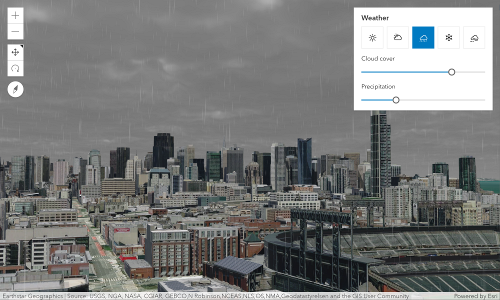
* The RainyWeather class allows you to change the weather conditions in the scene to rainy weather.
*
* 
*
* Example:
* ```js
* let view = new SceneView({
* container: "viewDiv",
*
* map: new Map({
* basemap: "satellite",
* ground: "world-elevation"
* }),
* environment: {
* weather: {
* type: "rainy",
* cloudCover: 0.8,
* precipitation: 0.3 // autocasts as new RainyWeather({ cloudCover: 0.8, precipitation: 0.3 })
* }
* }
* });
* ```
* The weather visualization updates as soon as the property changes:
* ```
* view.environment.weather = {
* type: "rainy",
* cloudCover: 0.4,
* precipitation: 0.3 // autocasts as new RainyWeather({ cloudCover: 0.4, precipitation: 0.3 })
* }
* ```
*
* @since 4.22
* @see [Sample - Weather visualization](https://developers.arcgis.com/javascript/latest/sample-code/scene-weather/)
* @see [Sample - Weather component](https://developers.arcgis.com/javascript/latest/sample-code/weather/)
*/
export default class RainyWeather extends JSONSupport {
constructor(properties?: RainyWeatherProperties);
/**
* Specifies the amount of cloud cover in the sky for a certain weather type.
*
* @default 0.5
*/
accessor cloudCover: number;
/**
* Specifies the amount of falling rain.
*
* @default 0.5
* @since 4.24
*/
accessor precipitation: number;
/** The type of Weather */
get type(): "rainy";
/**
* Creates a deep clone of this object.
*
* @returns Creates a new clone of the instance calling this method.
*/
clone(): RainyWeather;
}