@antonkolesnik/counter
Version:
React number increase/decrease animation
59 lines (49 loc) • 2.62 kB
Markdown
# Counter
A React library for animating numeric transitions. Perfect for timers, counters, or progress displays.
* Animate numbers with increasing (start < end) or decreasing (start > end) values.
* Works with decimal numbers
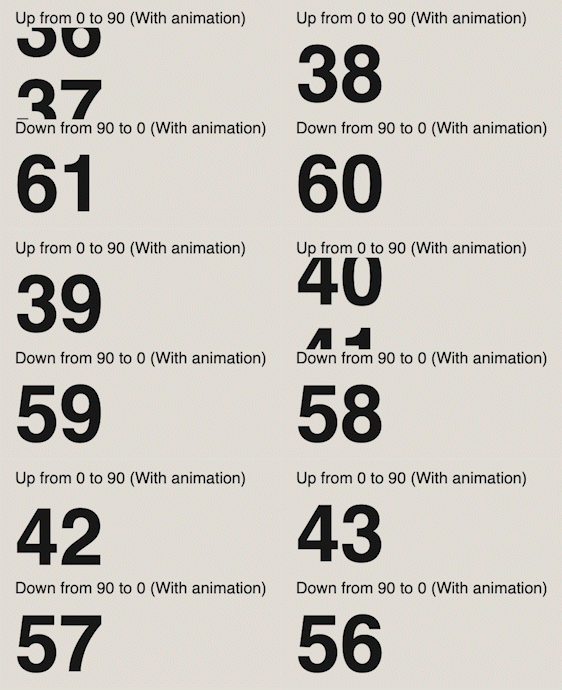
## Demo
See demo [HERE](https://antonkolesnik.com/counter)
## Props
| Name | Type | Default Value | Description |
|---------------|--------------------------------|---------------|------------------------------------------------------|
| duration | number (required) | - | Duration of the animation in milliseconds. |
| start | string | `0` | Initial number. |
| end | string | `0` | Final number. |
| fontSize | number | 80 | Font size for of counter text (in pixels). |
| decimals | number | - | Number of decimal places to display. |
| onUpdate | (nextValue: string) => void | - | Callback function to get next counter value. |
| isStart | boolean | null | To manually start the counter. |
| className | string | - | CSS class name for custom styling. |
| withAnimation | boolean | false | Enables smooth transition animation for the counter. |
## Installation
#### Install with NPM
```bash
npm install @antonkolesnik/counter
```
#### Install with Yarn
```bash
yarn add @antonkolesnik/counter
```
## Stylesheets
```js
import '@antonkolesnik/counter/lib/styles.css';
```
## Usage
```js
import Counter from '@antonkolesnik/counter';
import '@antonkolesnik/counter/lib/styles.css';
const Demo = () => (
<>
<Counter start="100" duration={10000} fontSize={50} />
<Counter end="500" duration={10000} />
<Counter start="200" end="50" duration={10000} />
<Counter start="100" end="200" duration={10000} />
<Counter start="1.20" end="10.5" duration={10000} decimals={1} />
<Counter start="200" end="100" duration={100000} withAnimation />
<Counter end="100" duration={10000} isStart={isStartState} />
<Counter end="100" duration={10000} onUpdate={(nextVal) => {console.log(nextVal)}} />
</>
);
```