@alkhipce/editorjs-aitext
Version:
Open AI text tool for Editor.js
119 lines (88 loc) • 3.8 kB
Markdown
[](https://www.npmjs.com/package/@alkhipce/editorjs-aitext)
[](https://github.com/etozhealkhipce/editorjs-aitext)
# AI Text Tool for Editor.js
AI suggestion text Tool for the [Editor.js](https://ifmo.su/editor) based on the default [Paragraph Tool](https://github.com/editor-js/paragraph/tree/master) and [OpenAI Node.js library](https://github.com/openai/openai-node).
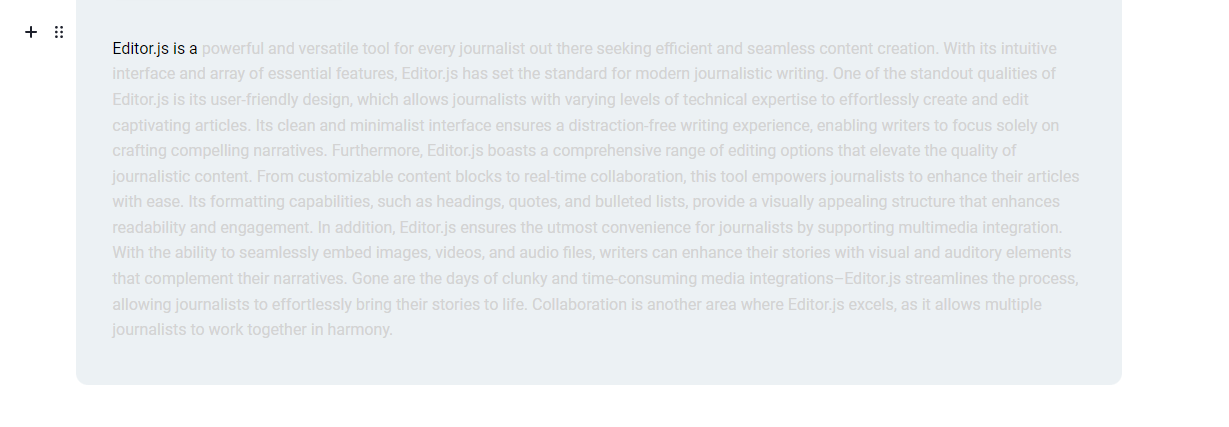
While writing with this tool you will get some OpenAI suggestion after 2 seconds delay. You can accept or decline it.
## Bindings:
Accept suggestion: 'Right or Left ALT buttons'<br>
Decline suggestion: 'Backspace or ESC buttons'
## Installation
Get the package
```shell
npm i @alkhipce/editorjs-aitext
```
Include module at your application
```javascript
import AIText from '@alkhipce/editorjs-aitext'
```
## Usage for ver >= 1.2.0
## If your project uses versions lower than 1.2.0, please read the old tutorial below
Add a new Tool to the `tools` property of the Editor.js initial config.
```javascript
var editor = EditorJS({
...
tools: {
...
aiText: {
// if you do not use TypeScript you need to remove "as unknown as ToolConstructable" construction
// type ToolConstructable imported from @editorjs/editorjs package
class: AIText as unknown as ToolConstructable,
config: {
// here you need to provide your own suggestion provider (e.g., request to your backend)
// this callback function must accept a string and return a Promise<string>
callback: (text: string) => {
return new Promise(resolve => {
setTimeout(() => {
resolve('AI: ' + text)
}, 1000)
})
},
}
},
}
...
});
```
## Usage for ver < 1.2.0
Add a new Tool to the `tools` property of the Editor.js initial config.
```javascript
var editor = EditorJS({
...
tools: {
...
aiText: {
// if you do not use TypeScript you need to remove "as unknown as ToolConstructable" construction
class: AIText as unknown as ToolConstructable,
config: {
openaiKey: 'YOUR_OPEN_AI_KEY'
}
},
}
...
});
```
## Config Params
The AI Text Tool supports these configuration parameters:
| Field | Type | Description |
| ---------------------- | ---------- | -------------------------------------------------------------------------------------------- |
| placeholder | `string` | The placeholder. Will be shown only in the first paragraph when the whole editor is empty. |
| preserveBlank | `boolean` | (default: `false`) Whether or not to keep blank paragraphs when saving editor data |
| (DEPRECATED) openaiKey | `string` | Required parameter |
| callback | `function` | Required parameter. This callback function has to accept a string and return Promise<string> |
## Output data
| Field | Type | Description |
| ----- | -------- | ---------------- |
| text | `string` | paragraph's text |
```json
{
"type": "aiText",
"data": {
"text": "Check out our projects on a <a href=\"https://github.com/codex-team\">GitHub page</a>."
}
}
```
## Roadmap
1. Add types (done)
2. Add styles file
3. Improve loader icon