@a2lix/symfony-collection
Version:
Manage your Symfony Form collection simply with vanilla JS
91 lines (61 loc) • 2.36 kB
Markdown
# A2LiX JS - symfony-collection
Manage your Symfony Form collection simply with vanilla JS
[](https://badge.fury.io/js/%40a2lix%2Fsymfony-collection)
## Install
```cmd
npm install @a2lix/symfony-collection
```
## Basic use
See Symfony Encore example (https://github.com/a2lix/Demo/blob/master/assets/app.js)
```js
import a2lix_lib from '@a2lix/symfony-collection/dist/a2lix_sf_collection.min'
a2lix_lib.sfCollection.init()
```
## Advanced use
Default configuration https://github.com/a2lix/symfony-collection/blob/master/src/a2lix_sf_collection.ts#L3-L45
can be customized globally in javascript during init
```js
a2lix_lib.sfCollection.init({
entry: {
add: {
label: 'Add entry'
},
}}
```
Or/And more precisely on each collection by using DOM attributes:
```php
...
->add('categories', CollectionType::class, [
...
'attr' => [
'data-entry-add-label' => 'Add Category',
],
])
```
### Nested collection(s)
As advised by SF in this case, you must override the default 'prototype_name' option (https://symfony.com/doc/current/reference/forms/types/collection.html#prototype-name) of the nested collection with a custom name. Then, set this same custom name in a 'data-prototype-name' DOM attribute.
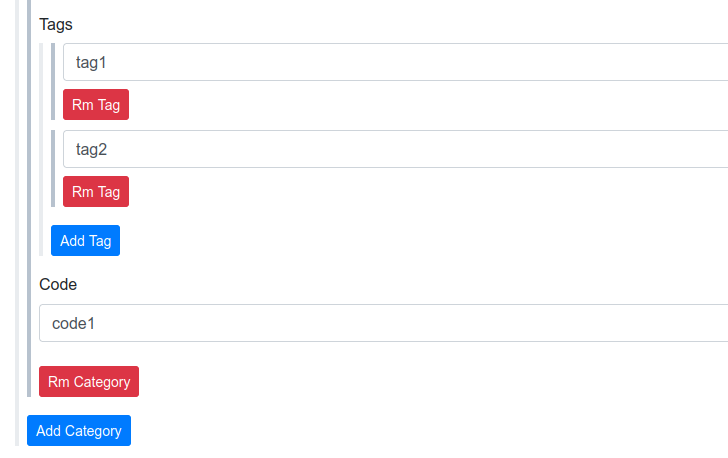
Example of a 'tags' collection nested in a 'categories' collection:
```php
...
->add('tags', CollectionType::class, [
'entry_type' => TextType::class,
'allow_add' => true,
'allow_delete' => true,
'delete_empty' => true,
'by_reference' => false,
'prototype_name' => '__name2__', // Advised by Symfony
'attr' => [
'data-prototype-name' => '__name2__' // Required by a2lix_sf_collection
],
'entry_options' => [
'label' => false,
],
```
## Contribute help
```cmd
docker run -it --rm --user $(id -u):$(id -g) --name a2lix_nodejs -v "$PWD":/usr/src/app -w /usr/src/app node:alpine npm install
docker run -it --rm --user $(id -u):$(id -g) --name a2lix_nodejs -v "$PWD":/usr/src/app -w /usr/src/app node:alpine npm run build
```
# Demo
See [Demo project](https://github.com/a2lix/Demo).